Network Security
In networking, the term security refers to the measures taken to protect data, applications, devices, and systems within this network from unauthorized access or damage. The goal is to uphold and maintain the CIA triad:
In the next paragraphs, we will discuss two critical components of network security: Firewalls and Intrusion Detection/Prevention Systems (IDS/IPS).
Firewalls
A Firewall is a network security device, either hardware, software, or a combination of both, that monitors incoming and outgoing network traffic. Firewalls enforce a set of rules (known as firewall policies or access control lists) to determine whether to allow or block specific traffic. We can imagine a firewall as a security guard at the entrance of a building, checking who is allowed in or out based on a list of rules. If a visitor doesn’t meet the criteria (e.g., not on the guest list), they are denied entry.
The open source router/firewall pfSense. It's large number of plugins (known as "Packages") give it a range of capabilities.
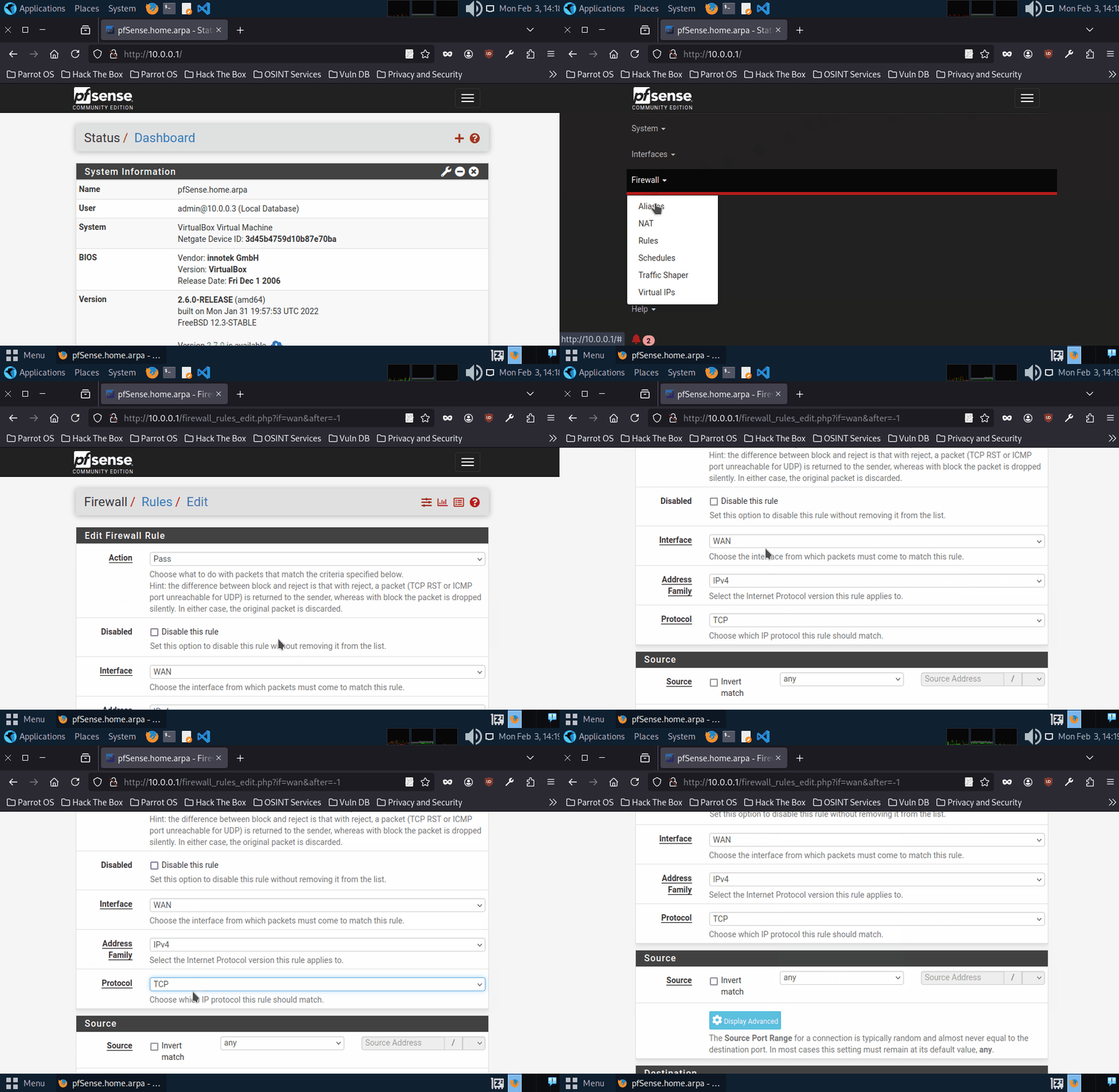
Firewalls operate by analyzing packets of data according to predefined rules and policies, commonly focusing on factors such as IP addresses, port numbers, and protocols. This process, known as traffic filtering, is defined by system administrators as permitting or denying traffic based on specific conditions, ensuring that only authorized connections are allowed. Additionally, firewalls can log traffic events and generate alerts about any suspicious activity. Below are some of the different types of firewalls.
1. Packet Filtering Firewall
Description
Operates at Layer 3 (Network) and Layer 4 (Transport) of the OSI model.
Examines source/destination IP, source/destination port, and protocol type.
Example: A simple router ACL that only allows HTTP (port 80) and HTTPS (port 443) while blocking other ports.
2. Stateful Inspection Firewall
Description
Tracks the state of network connections.
More intelligent than packet filters because they understand the entire conversation.
Example: Only allows inbound data that matches an already established outbound request.
3. Application Layer Firewall (Proxy Firewall)
Description
Operates up to Layer 7 (Application) of the OSI model.
Can inspect the actual content of traffic (e.g., HTTP requests) and block malicious requests.
Example: A web proxy that filters out malicious HTTP requests containing suspicious patterns.
4. Next-Generation Firewall (NGFW)
Description
Combines stateful inspection with advanced features like deep packet inspection, intrusion detection/prevention, and application control.
Example: A modern firewall that can block known malicious IP addresses, inspect encrypted traffic for threats, and enforce application-specific policies.
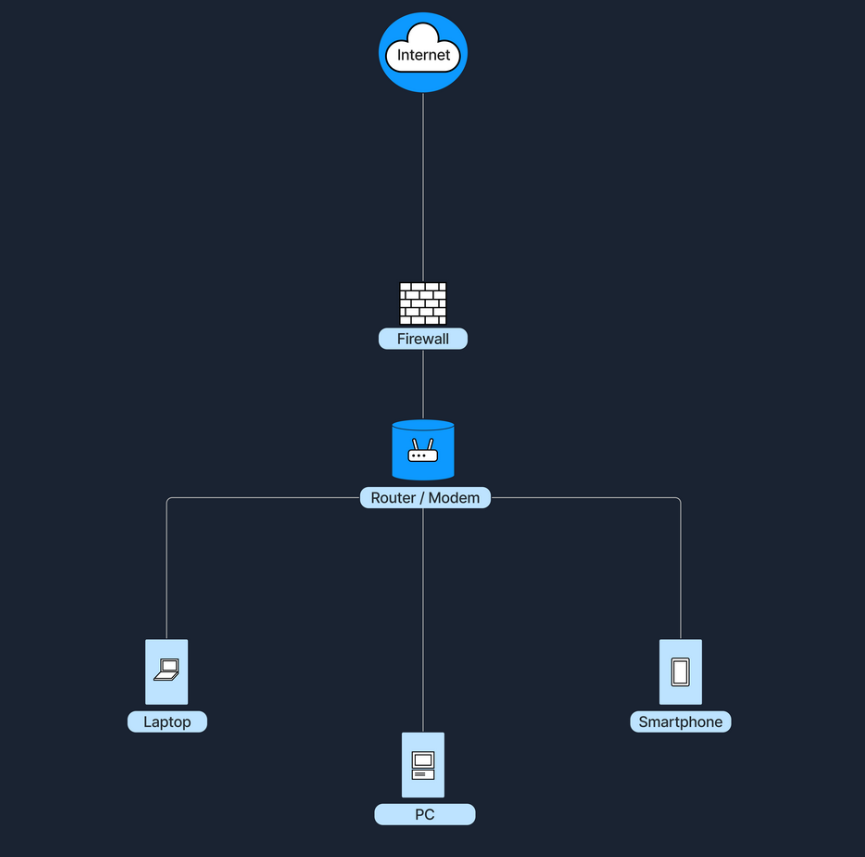
Firewalls stand between the internet and the internal network, examining traffic before letting it through. In a home environment, our router/modem often has a built-in firewall (software-based). In that case, it’s all in one device, and the firewall function is inside the router. In larger networks (e.g., business environments), the firewall is often a separate device placed after the modem/router and before the internal network, ensuring all traffic must pass through it.
Intrusion Detection and Prevention Systems (IDS/IPS)
Intrusion Detection and Prevention Systems (IDS/IPS) are security solutions designed to monitor and respond to suspicious network or system activity. An Intrusion Detection System (IDS) observes traffic or system events to identify malicious behavior or policy violations, generating alerts but not blocking the suspicious traffic. In contrast, an Intrusion Prevention System (IPS) operates similarly to an IDS but takes an additional step by preventing or rejecting malicious traffic in real time. The key difference lies in their actions: an IDS detects and alerts, while an IPS detects and prevents.
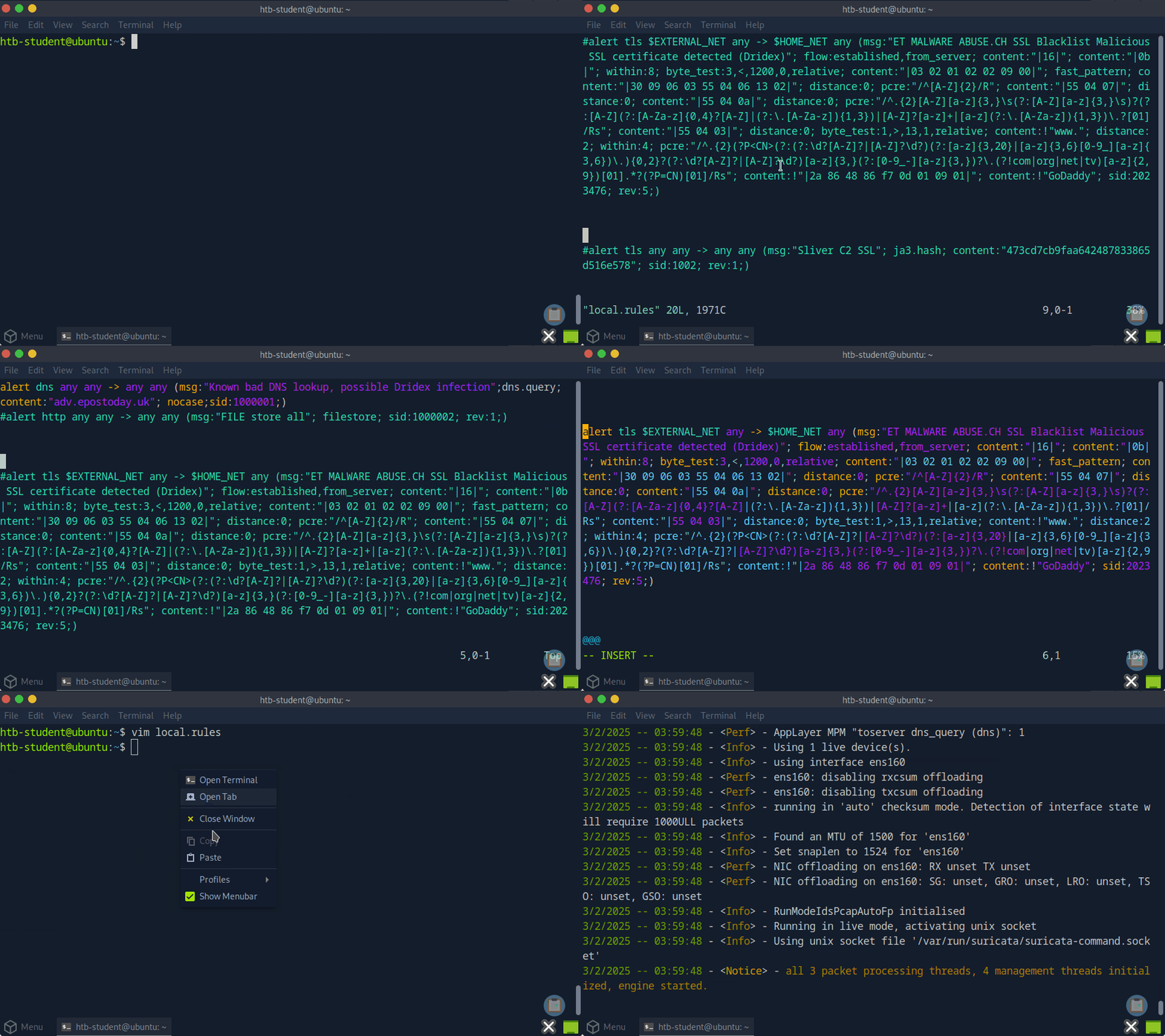
The widely used Suricata software can function as both an IDS and an IPS. Here, we see the user enable a detection rule, then begin inline monitoring.
Both IDS and IPS solutions analyze network packets and compare them to known attack signatures or typical traffic patterns. This process involves:
When suspicious or malicious behavior is identified, an IDS will generate an alert for further investigation, while an IPS goes one step further by blocking or rejecting the malicious traffic in real time.
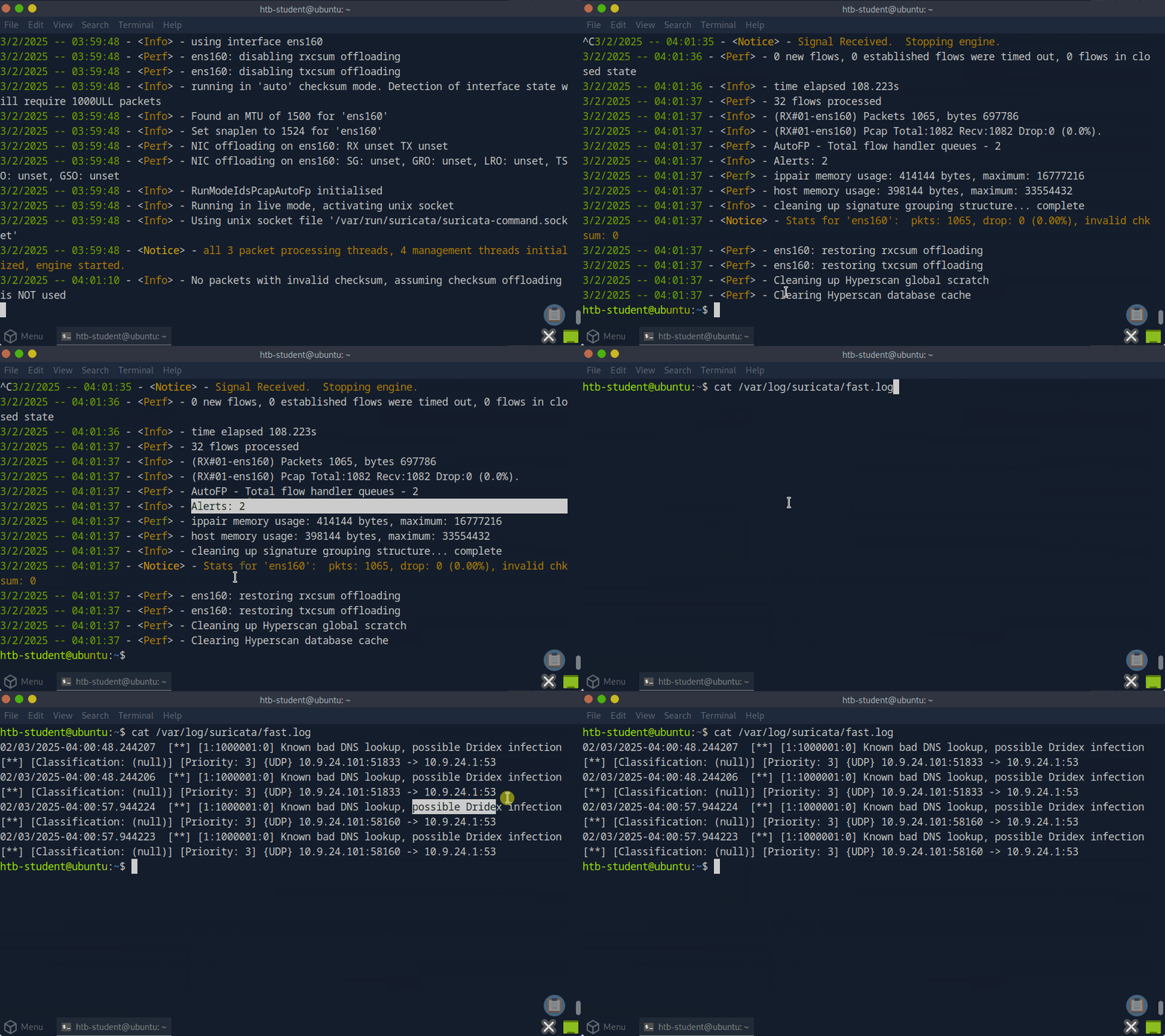
Suricata in IDS mode.
Below are some of the different types of firewalls IDS/IPS.
1. Network-Based IDS/IPS (NIDS/NIPS)
Description
Hardware device or software solution placed at strategic points in the network to inspect all passing traffic.
Example: A sensor connected to the core switch that monitors traffic within a data center.
2. Host-Based IDS/IPS (HIDS/HIPS)
Description
Runs on individual hosts or devices, monitoring inbound/outbound traffic and system logs for suspicious behavior on that specific machine.
Example: An antivirus or endpoint security agent installed on a server.
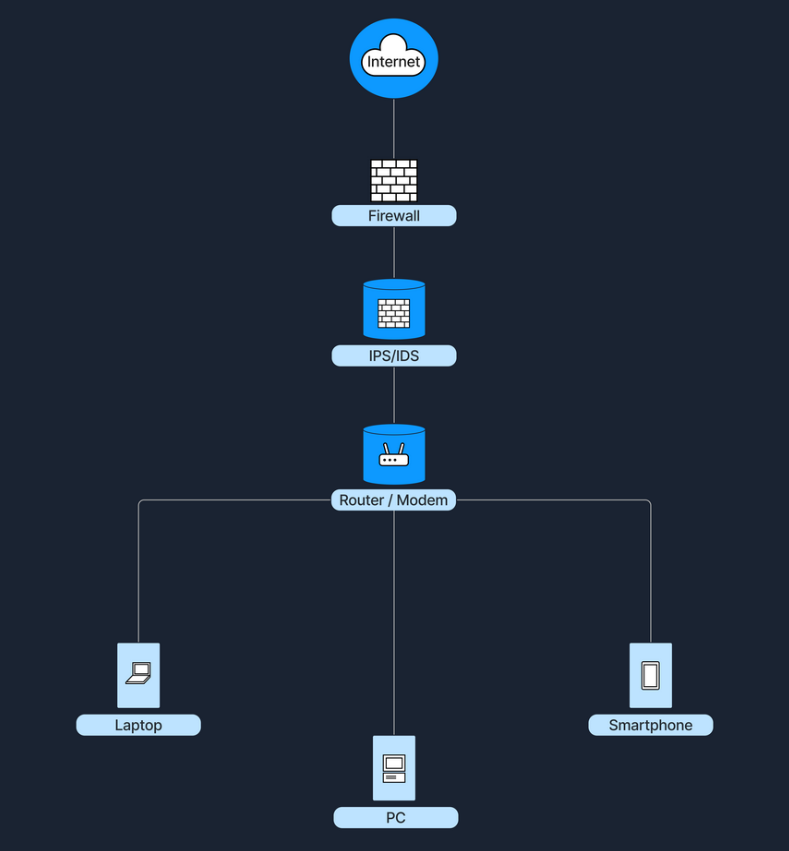
IDS/IPS can be placed at several strategic locations in a network. One option is to position them behind the firewall, where the firewall filters obvious threats, and the IDS/IPS inspects any remaining traffic. Another common placement is in the DMZ (Demilitarized Zone), a separate network segment within the larger network directly exposed to the internet, where they monitor traffic moving in and out of publicly accessible servers. Finally, IDS/IPS solutions can also run directly on endpoint devices, such as servers or workstations, to detect suspicious activity at the host level. The following diagram shows an IDS/IPS positioned after the firewall.
Best Practices
Here are the best practices for enhancing network security, summarized in the following table:
Data Flow Example
Based on the knowledge we have gained from the previous sections, the following paragraphs will show precisely what happens when a user tries to access a website from their laptop. Below is a breakdown of these events in a client-server model.
1. Accessing the Internet
Let's imagine a user using their laptop to connect to the internet through their home Wireless LAN (WLAN) network. As the laptop is connecting to this network, the following happens:
Steps
The laptop first identifies the correct wireless network/SSID
If the network uses WPA2/WPA3, the user must provide the correct password or credentials to authenticate.
Finally, the connection is established, and the DHCP protocol takes over the IP configuration.
2. Checking Local Network Configuration (DHCP)
When a user opens a web browser (such as Chrome, Firefox, or Safari) and types in www.example.com to access a website, the browser prepares to send out a request for the webpage. Before a packet leaves the laptop, the operating system checks for a valid IP address for the local area network.