WordPress, launched in 2003, is an open-source Content Management System (CMS) that can be used for multiple purposes. It’s often used to host blogs and forums. WordPress is highly customizable as well as SEO friendly, which makes it popular among companies. However, its customizability and extensible nature make it prone to vulnerabilities through third-party themes and plugins. WordPress is written in PHP and usually runs on Apache with MySQL as the backend.
At the time of writing, WordPress accounts for around 32.5% of all sites on the internet and is the most popular CMS by market share. Here are some interesting facts about WordPress.
- WordPress offers over 50,000 plugins and over 4,100 GPL-licensed themes
- 317 separate versions of WordPress have been released since its initial launch
- Roughly 661 new WordPress websites are built every day
- WordPress blogs are written in over 120 languages
- A study showed that roughly 8% of WordPress hacks happen due to weak passwords, while 60% were due to an outdated WordPress version
- According to WPScan, out of nearly 4,000 known vulnerabilities, 54% are from plugins, 31.5% are from WordPress core, and 14.5% are from WordPress themes.
- Some major brands that use WordPress include The New York Times, eBay, Sony, Forbes, Disney, Facebook, Mercedes-Benz, and many more
As we can see from these statistics, WordPress is extremely prevalent on the internet and presents a vast attack surface. We are guaranteed to come across WordPress during many of our External Penetration Test assessments, and we must understand how it works, how to enumerate it, and the various ways it can be attacked.
The Hacking WordPress module on HTB Academy goes very far in-depth on the structure and function of WordPress and ways it can be abused.
Let us imagine that during an external penetration test, we come across a company that hosts its main website based on WordPress. Like many other applications, WordPress has individual files that allow us to identify that application. Also, the files, folder structure, file names, and functionality of each PHP script can be used to discover even the installed version of WordPress. In this web application, by default, metadata is added by default in the HTML source code of the web page, which sometimes even already contains the version. Therefore, let us see what possibilities we have to find out more detailed information about WordPress.
Discovery/Footprinting
A quick way to identify a WordPress site is by browsing to the /robots.txt file. A typical robots.txt on a WordPress installation may look like:
User-agent: *
Disallow: /wp-admin/
Allow: /wp-admin/admin-ajax.php
Disallow: /wp-content/uploads/wpforms/

Sitemap: https://inlanefreight.local/wp-sitemap.xml
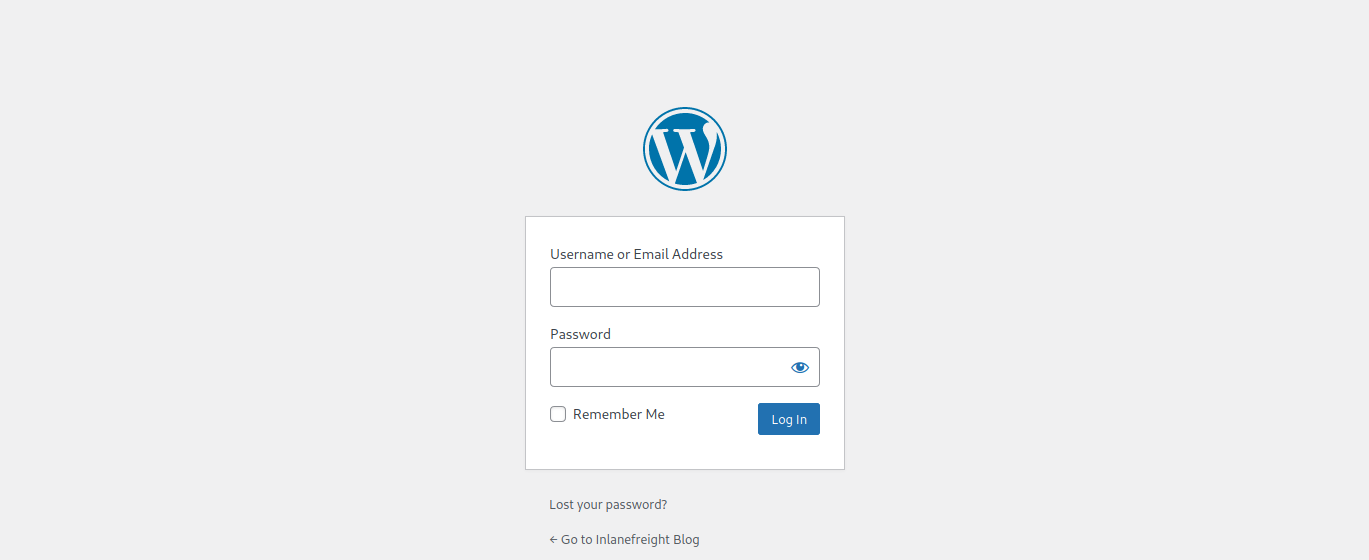
Here the presence of the /wp-admin and /wp-content directories would be a dead giveaway that we are dealing with WordPress. Typically attempting to browse to the wp-admin directory will redirect us to the wp-login.php page. This is the login portal to the WordPress instance's back-end.
http://blog.inlanefreight.local/wp-login.php
WordPress stores its plugins in the wp-content/plugins directory. This folder is helpful to enumerate vulnerable plugins. Themes are stored in the wp-content/themes directory. These files should be carefully enumerated as they may lead to RCE.
There are five types of users on a standard WordPress installation.
- Administrator: This user has access to administrative features within the website. This includes adding and deleting users and posts, as well as editing source code.
- Editor: An editor can publish and manage posts, including the posts of other users.
- Author: They can publish and manage their own posts.
- Contributor: These users can write and manage their own posts but cannot publish them.
- Subscriber: These are standard users who can browse posts and edit their profiles.
Getting access to an administrator is usually sufficient to obtain code execution on the server. Editors and authors might have access to certain vulnerable plugins, which normal users don’t.
Enumeration
Another quick way to identify a WordPress site is by looking at the page source. Viewing the page with cURL and grepping for WordPress can help us confirm that WordPress is in use and footprint the version number, which we should note down for later. We can enumerate WordPress using a variety of manual and automated tactics.
sasorirose@htb[/htb]$ curl -s http://blog.inlanefreight.local | grep WordPress
Browsing the site and perusing the page source will give us hints to the theme in use, plugins installed, and even usernames if author names are published with posts. We should spend some time manually browsing the site and looking through the page source for each page, grepping for the wp-content directory, themes and plugin, and begin building a list of interesting data points.
Looking at the page source, we can see that the Business Gravity theme is in use. We can go further and attempt to fingerprint the theme version number and look for any known vulnerabilities that affect it.
sasorirose@htb[/htb]$ curl -s http://blog.inlanefreight.local/ | grep themes
Next, let's take a look at which plugins we can uncover.
sasorirose@htb[/htb]$ curl -s http://blog.inlanefreight.local/ | grep plugins
From the output above, we know that the Contact Form 7 and mail-masta plugins are installed. The next step would be enumerating the versions.
Browsing to http://blog.inlanefreight.local/wp-content/plugins/mail-masta/ shows us that directory listing is enabled and that a readme.txt file is present. These files are very often helpful in fingerprinting version numbers. From the readme, it appears that version 1.0.0 of the plugin is installed, which suffers from a Local File Inclusion vulnerability that was published in August of 2021.
Let's dig around a bit more. Checking the page source of another page, we can see that the wpDiscuz plugin is installed, and it appears to be version 7.0.4
sasorirose@htb[/htb]$ curl -s http://blog.inlanefreight.local/?p=1 | grep plugins
A quick search for this plugin version shows this unauthenticated remote code execution vulnerability from June of 2021. We'll note this down and move on. It is important at this stage to not jump ahead of ourselves and start exploiting the first possible flaw we see, as there are many other potential vulnerabilities and misconfigurations possible in WordPress that we don't want to miss.
Enumerating Users
We can do some manual enumeration of users as well. As mentioned earlier, the default WordPress login page can be found at /wp-login.php.
A valid username and an invalid password results in the following message:
http://blog.inlanefreight.local/wp-login.php
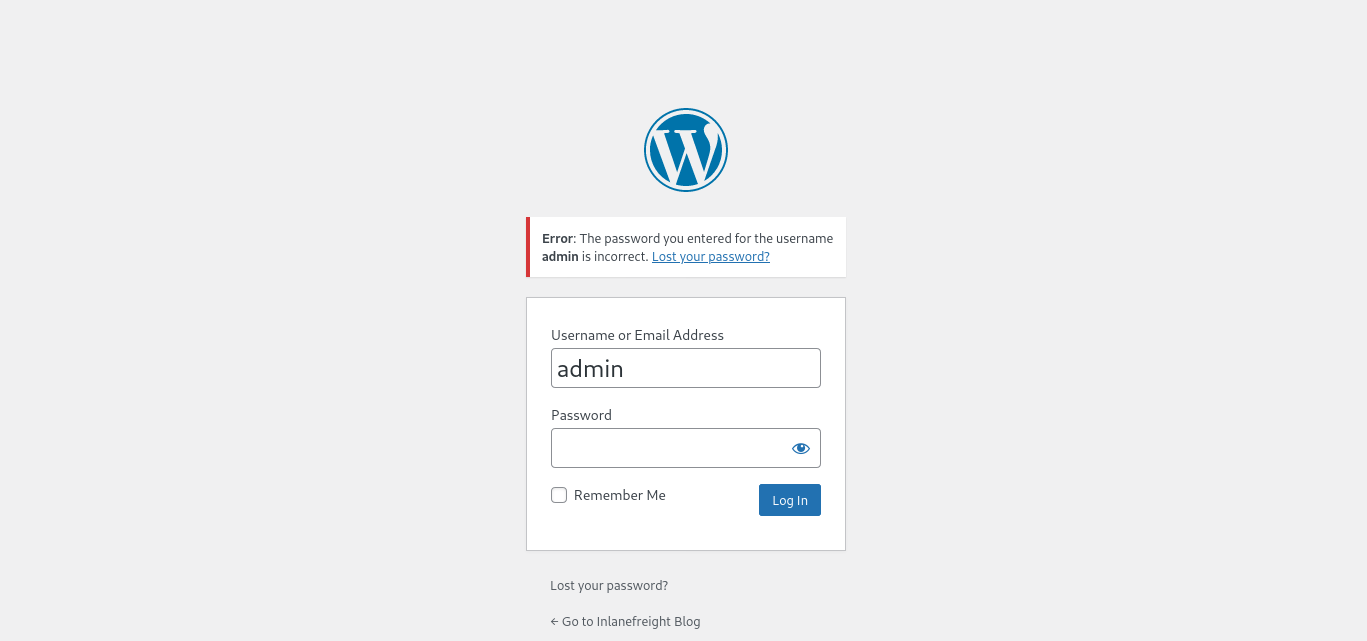
However, an invalid username returns that the user was not found.
http://blog.inlanefreight.local/wp-login.php
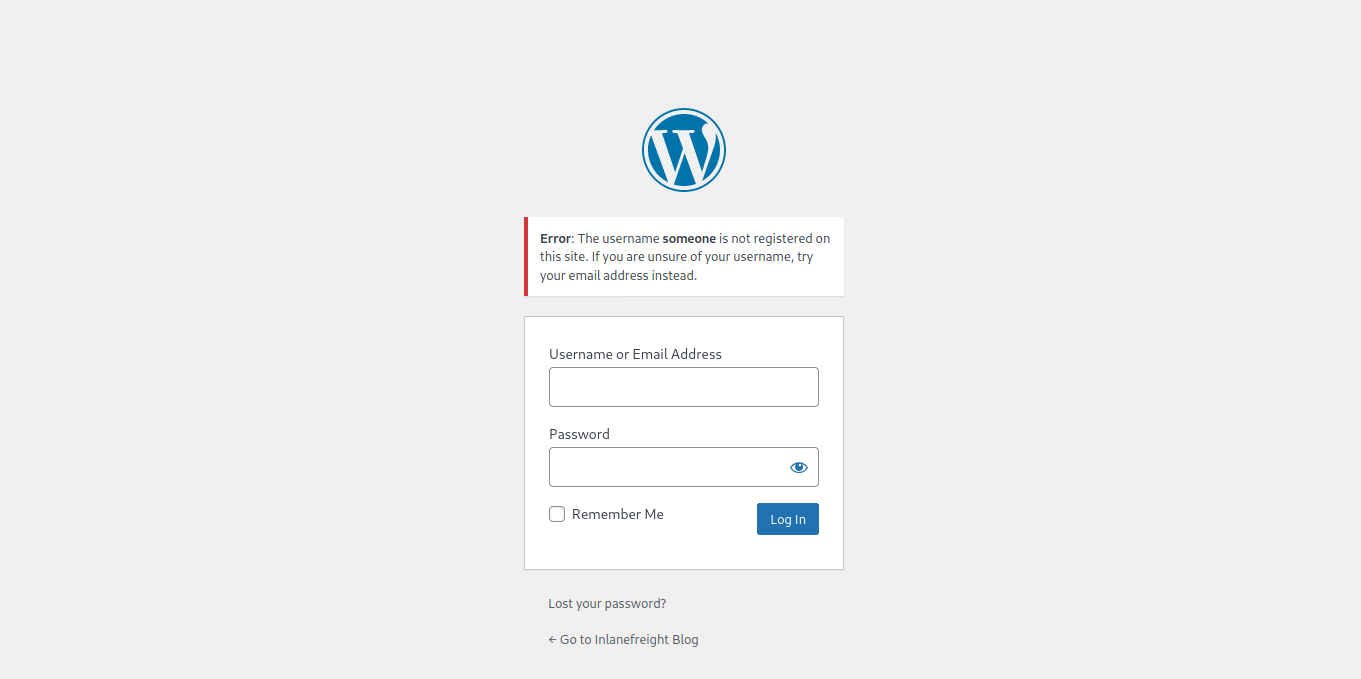
This makes WordPress vulnerable to username enumeration, which can be used to obtain a list of potential usernames.
Let's recap. At this stage, we have gathered the following data points:
- The site appears to be running WordPress core version 5.8
- The installed theme is Business Gravity
- The following plugins are in use: Contact Form 7, mail-masta, wpDiscuz
- The wpDiscuz version appears to be 7.0.4, which suffers from an unauthenticated remote code execution vulnerability
- The mail-masta version seems to be 1.0.0, which suffers from a Local File Inclusion vulnerability
- The WordPress site is vulnerable to user enumeration, and the user admin is confirmed to be a valid user
Let's take things a step further and validate/add to some of our data points with some automated enumeration scans of the WordPress site. Once we complete this, we should have enough information in hand to begin planning and mounting our attacks.
WPScan
WPScan is an automated WordPress scanner and enumeration tool. It determines if the various themes and plugins used by a blog are outdated or vulnerable. It’s installed by default on Parrot OS but can also be installed manually with gem.
sasorirose@htb[/htb]$ sudo gem install wpscanWPScan is also able to pull in vulnerability information from external sources. We can obtain an API token from WPVulnDB, which is used by WPScan to scan for PoC and reports. The free plan allows up to 25 requests per day. To use the WPVulnDB database, just create an account and copy the API token from the users page. This token can then be supplied to wpscan using the --api-token parameter.
Typing wpscan -h will bring up the help menu.
sasorirose@htb[/htb]$ wpscan -h

_______________________________________________________________
         __          _______   _____
         \ \        / /  __ \ / ____|
          \ \  /\  / /| |__) | (___   ___  __ _ _ __ ®
           \ \/  \/ / |  ___/ \___ \ / __|/ _` | '_ \
            \  /\  /  | |     ____) | (__| (_| | | | |
             \/  \/   |_|    |_____/ \___|\__,_|_| |_|

         WordPress Security Scanner by the WPScan Team
                         Version 3.8.7
       Sponsored by Automattic - https://automattic.com/
       @_WPScan_, @ethicalhack3r, @erwan_lr, @firefart
_______________________________________________________________

Usage: wpscan [options]
        --url URL                                 The URL of the blog to scan
                                                  Allowed Protocols: http, https
                                                  Default Protocol if none provided: http
                                                  This option is mandatory unless update or help or hh or version is/are supplied
    -h, --help                                    Display the simple help and exit
        --hh                                      Display the full help and exit
        --version                                 Display the version and exit
    -v, --verbose                                 Verbose mode
        --[no-]banner                             Whether or not to display the banner
                                                  Default: true
    -o, --output FILE                             Output to FILE
    -f, --format FORMAT                           Output results in the format supplied
                                                  Available choices: json, cli-no-colour, cli-no-color, cli
        --detection-mode MODE                     Default: mixed
                                                  Available choices: mixed, passive, aggressive
The --enumerate flag is used to enumerate various components of the WordPress application, such as plugins, themes, and users. By default, WPScan enumerates vulnerable plugins, themes, users, media, and backups. However, specific arguments can be supplied to restrict enumeration to specific components. For example, all plugins can be enumerated using the arguments --enumerate ap. Let’s invoke a normal enumeration scan against a WordPress website with the --enumerate flag and pass it an API token from WPVulnDB with the --api-token flag.
sasorirose@htb[/htb]$ sudo wpscan --url http://blog.inlanefreight.local --enumerate --api-token dEOFB


[+] URL: http://blog.inlanefreight.local/ [10.129.42.195]
[+] Started: Thu Sep 16 23:11:43 2021

Interesting Finding(s):

[+] Headers
 | Interesting Entry: Server: Apache/2.4.41 (Ubuntu)
 | Found By: Headers (Passive Detection)
 | Confidence: 100%

[+] XML-RPC seems to be enabled: http://blog.inlanefreight.local/xmlrpc.php
 | Found By: Direct Access (Aggressive Detection)
 | Confidence: 100%
 | References:
 |  - http://codex.wordpress.org/XML-RPC_Pingback_API
 |  - https://www.rapid7.com/db/modules/auxiliary/scanner/http/wordpress_ghost_scanner
 |  - https://www.rapid7.com/db/modules/auxiliary/dos/http/wordpress_xmlrpc_dos
 |  - https://www.rapid7.com/db/modules/auxiliary/scanner/http/wordpress_xmlrpc_login
 |  - https://www.rapid7.com/db/modules/auxiliary/scanner/http/wordpress_pingback_access

[+] WordPress readme found: http://blog.inlanefreight.local/readme.html
 | Found By: Direct Access (Aggressive Detection)
 | Confidence: 100%

[+] Upload directory has listing enabled: http://blog.inlanefreight.local/wp-content/uploads/
 | Found By: Direct Access (Aggressive Detection)
 | Confidence: 100%

[+] WordPress version 5.8 identified (Insecure, released on 2021-07-20).
 | Found By: Rss Generator (Passive Detection)
 |  - http://blog.inlanefreight.local/?feed=rss2, https://wordpress.org/?v=5.8
 |  - http://blog.inlanefreight.local/?feed=comments-rss2, https://wordpress.org/?v=5.8
 |
 | [!] 3 vulnerabilities identified:
 |
 | [!] Title: WordPress 5.4 to 5.8 - Data Exposure via REST API
 |     Fixed in: 5.8.1
 |     References:
 |      - https://wpvulndb.com/vulnerabilities/38dd7e87-9a22-48e2-bab1-dc79448ecdfb
 |      - https://cve.mitre.org/cgi-bin/cvename.cgi?name=CVE-2021-39200
 |      - https://wordpress.org/news/2021/09/wordpress-5-8-1-security-and-maintenance-release/
 |      - https://github.com/WordPress/wordpress-develop/commit/ca4765c62c65acb732b574a6761bf5fd84595706
 |      - https://github.com/WordPress/wordpress-develop/security/advisories/GHSA-m9hc-7v5q-x8q5
 |
 | [!] Title: WordPress 5.4 to 5.8 - Authenticated XSS in Block Editor
 |     Fixed in: 5.8.1
 |     References:
 |      - https://wpvulndb.com/vulnerabilities/5b754676-20f5-4478-8fd3-6bc383145811
 |      - https://cve.mitre.org/cgi-bin/cvename.cgi?name=CVE-2021-39201
 |      - https://wordpress.org/news/2021/09/wordpress-5-8-1-security-and-maintenance-release/
 |      - https://github.com/WordPress/wordpress-develop/security/advisories/GHSA-wh69-25hr-h94v
 |
 | [!] Title: WordPress 5.4 to 5.8 -  Lodash Library Update
 |     Fixed in: 5.8.1
 |     References:
 |      - https://wpvulndb.com/vulnerabilities/5d6789db-e320-494b-81bb-e678674f4199
 |      - https://wordpress.org/news/2021/09/wordpress-5-8-1-security-and-maintenance-release/
 |      - https://github.com/lodash/lodash/wiki/Changelog
 |      - https://github.com/WordPress/wordpress-develop/commit/fb7ecd92acef6c813c1fde6d9d24a21e02340689

[+] WordPress theme in use: transport-gravity
 | Location: http://blog.inlanefreight.local/wp-content/themes/transport-gravity/
 | Latest Version: 1.0.1 (up to date)
 | Last Updated: 2020-08-02T00:00:00.000Z
 | Readme: http://blog.inlanefreight.local/wp-content/themes/transport-gravity/readme.txt
 | [!] Directory listing is enabled
 | Style URL: http://blog.inlanefreight.local/wp-content/themes/transport-gravity/style.css
 | Style Name: Transport Gravity
 | Style URI: https://keonthemes.com/downloads/transport-gravity/
 | Description: Transport Gravity is an enhanced child theme of Business Gravity. Transport Gravity is made for tran...
 | Author: Keon Themes
 | Author URI: https://keonthemes.com/
 |
 | Found By: Css Style In Homepage (Passive Detection)
 | Confirmed By: Urls In Homepage (Passive Detection)
 |
 | Version: 1.0.1 (80% confidence)
 | Found By: Style (Passive Detection)
 |  - http://blog.inlanefreight.local/wp-content/themes/transport-gravity/style.css, Match: 'Version: 1.0.1'

[+] Enumerating Vulnerable Plugins (via Passive Methods)
[+] Checking Plugin Versions (via Passive and Aggressive Methods)

[i] Plugin(s) Identified:

[+] mail-masta
 | Location: http://blog.inlanefreight.local/wp-content/plugins/mail-masta/
 | Latest Version: 1.0 (up to date)
 | Last Updated: 2014-09-19T07:52:00.000Z
 |
 | Found By: Urls In Homepage (Passive Detection)
 |
 | [!] 2 vulnerabilities identified:
 |
 | [!] Title: Mail Masta <= 1.0 - Unauthenticated Local File Inclusion (LFI)


| [!] Title: Mail Masta 1.0 - Multiple SQL Injection


[i] User(s) Identified:

[+] by:
                                    admin
 | Found By: Author Posts - Display Name (Passive Detection)

[+] admin
 | Found By: Rss Generator (Passive Detection)
 | Confirmed By:
 |  Author Id Brute Forcing - Author Pattern (Aggressive Detection)
 |  Login Error Messages (Aggressive Detection)

[+] john
 | Found By: Author Id Brute Forcing - Author Pattern (Aggressive Detection)
 | Confirmed By: Login Error Messages (Aggressive Detection)
WPScan uses various passive and active methods to determine versions and vulnerabilities, as shown in the report above. The default number of threads used is 5. However, this value can be changed using the -t flag.
This scan helped us confirm some of the things we uncovered from manual enumeration (WordPress core version 5.8 and directory listing enabled), showed us that the theme that we identified was not exactly correct (Transport Gravity is in use which is a child theme of Business Gravity), uncovered another username (john), and showed that automated enumeration on its own is often not enough (missed the wpDiscuz and Contact Form 7 plugins). WPScan provides information about known vulnerabilities. The report output also contains URLs to PoCs, which would allow us to exploit these vulnerabilities.
The approach we took in this section, combining both manual and automated enumeration, can be applied to almost any application we uncover. Scanners are great and are very useful but cannot replace the human touch and a curious mind. Honing our enumeration skills can set us apart from the crowd as excellent penetration testers.
Moving On
From the data we gathered manually and using WPScan, we now know the following:
- The site is running WordPress core version 5.8, which does suffer from some vulnerabilities that do not seem interesting at this point
- The installed theme is Transport Gravity
- The following plugins are in use: Contact Form 7, mail-masta, wpDiscuz
- The wpDiscuz version is 7.0.4, which suffers from an unauthenticated remote code execution vulnerability
- The mail-masta version is 1.0.0, which suffers from a Local File Inclusion vulnerability as well as SQL injection
- The WordPress site is vulnerable to user enumeration, and the users admin and john are confirmed to be valid users
- Directory listing is enabled throughout the site, which may lead to sensitive data exposure
- XML-RPC is enabled, which can be leveraged to perform a password brute-forcing attack against the login page using WPScan, Metasploit, etc.
With this information noted down, let's move on to the fun stuff: attacking WordPress!
Questions:
Enumerate the host and find a flag.txt flag in an accessible directory.
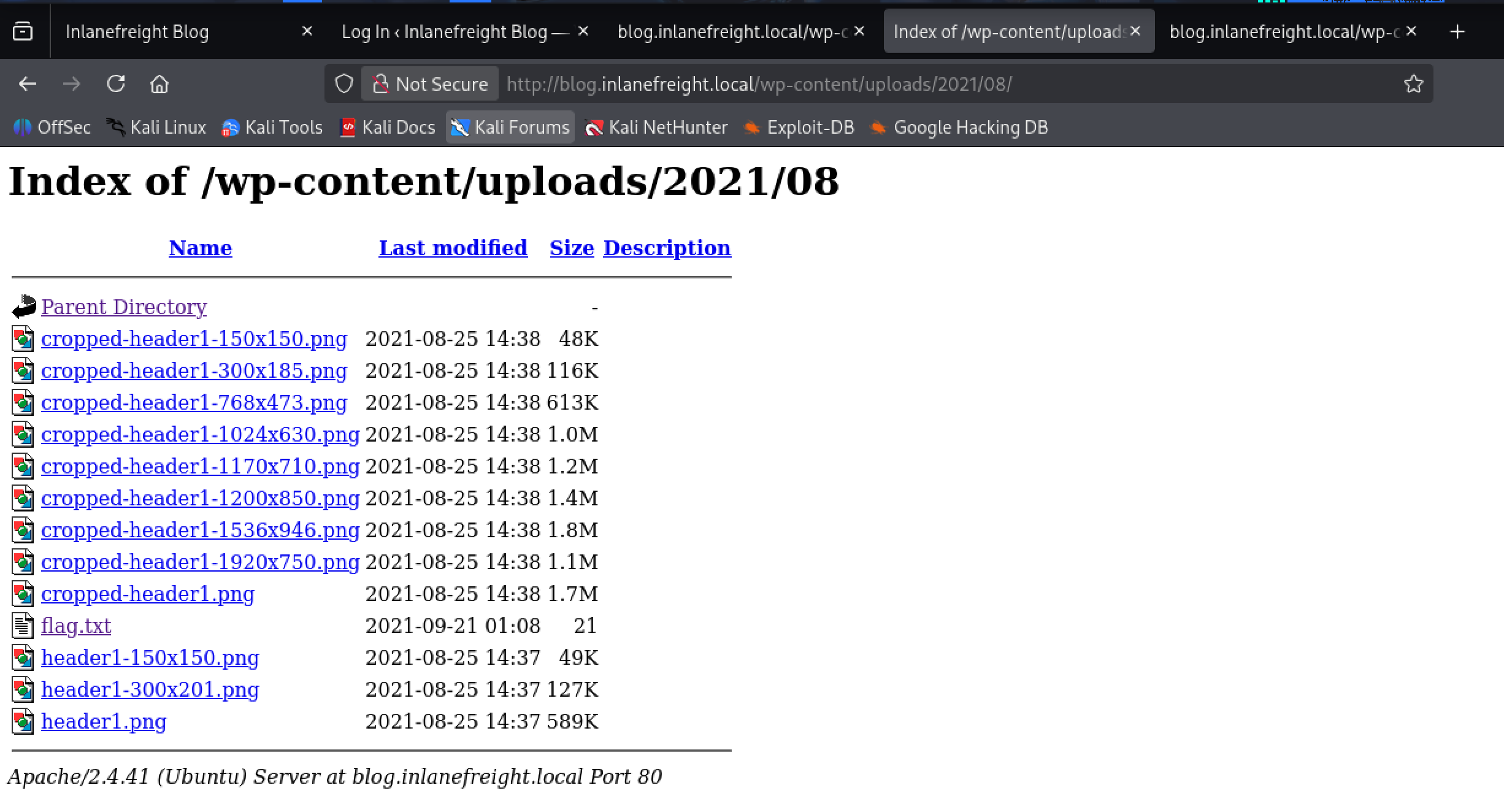

Answer: 0ptions_ind3xeS_ftw!
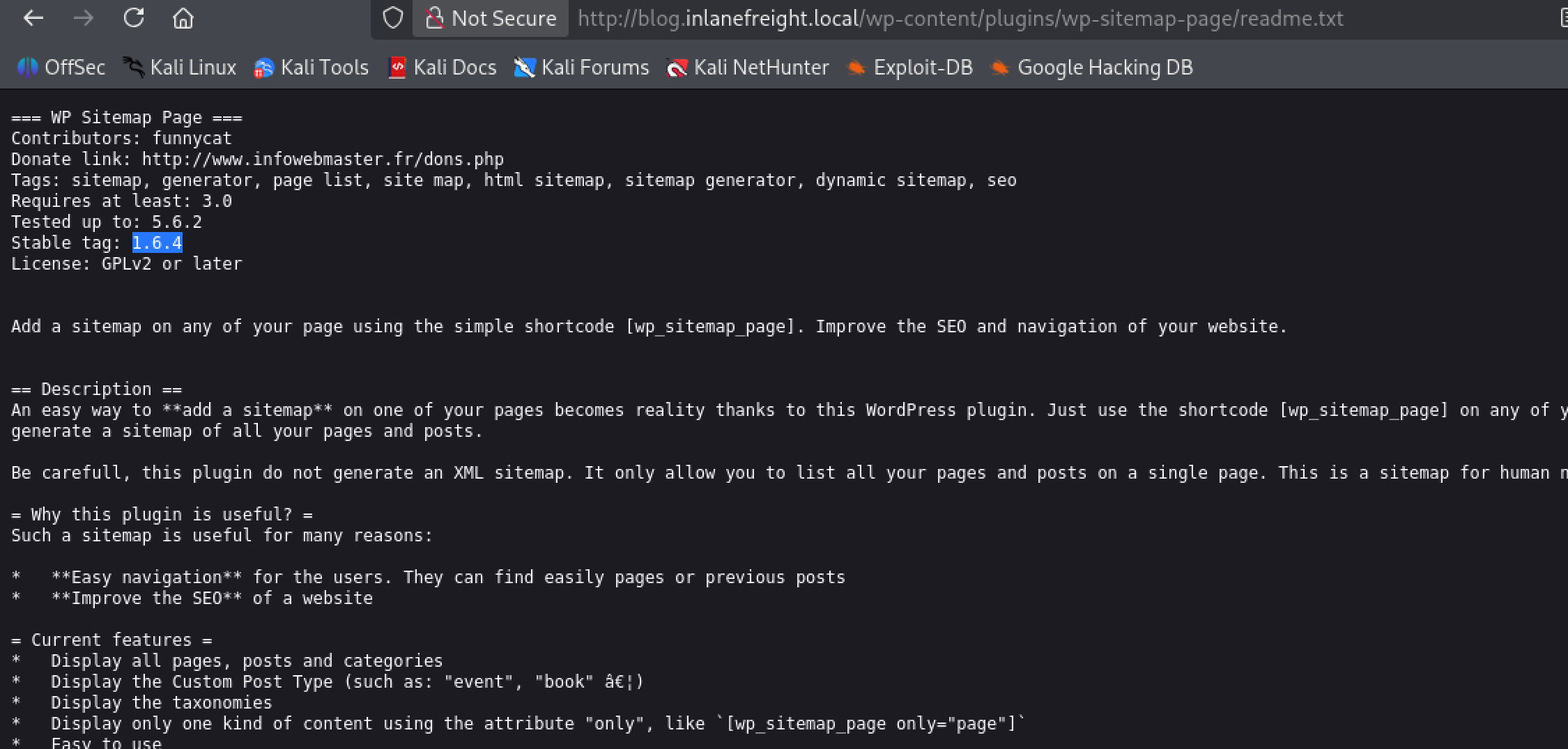
Perform manual enumeration to discover another installed plugin. Submit the plugin name as the answer (3 words).
┌──(sasorirose㉿kazekageiii)-[~]
└─$ curl -s http://blog.inlanefreight.local/ | grep plugins
┌──(sasorirose㉿kazekageiii)-[~]
└─$ curl -s http://blog.inlanefreight.local/?p=1 | grep plugins