osTicket is an open-source support ticketing system. It can be compared to systems such as Jira, OTRS, Request Tracker, and Spiceworks. osTicket can integrate user inquiries from email, phone, and web-based forms into a web interface. osTicket is written in PHP and uses a MySQL backend. It can be installed on Windows or Linux. Though there is not a considerable amount of market information readily available about osTicket, a quick Google search for Helpdesk software - powered by osTicket returns about 44,000 results, many of which look to be companies, school systems, universities, local government, etc., using the application. osTicket was even shown briefly in the show Mr. Robot.
Aside from learning about enumerating and attacking osTicket, the purpose of this section is also to introduce you to the world of support ticketing systems and why they should not be overlooked during our assessments.
Footprinting/Discovery/Enumeration
Looking back at our EyeWitness scan from earlier, we notice a screenshot of an osTicket instance which also shows that a cookie named OSTSESSID was set when visiting the page.
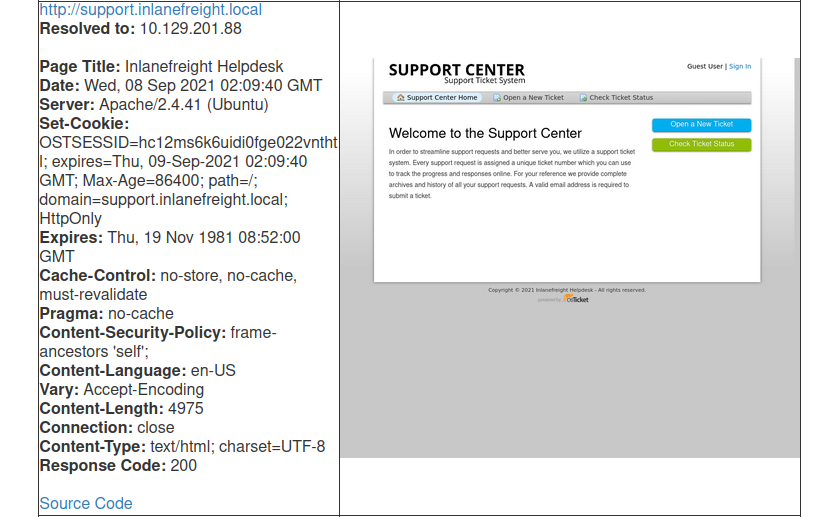
Also, most osTicket installs will showcase the osTicket logo with the phrase powered by in front of it in the page's footer. The footer may also contain the words Support Ticket System.
http://support.inlanefreight.local/
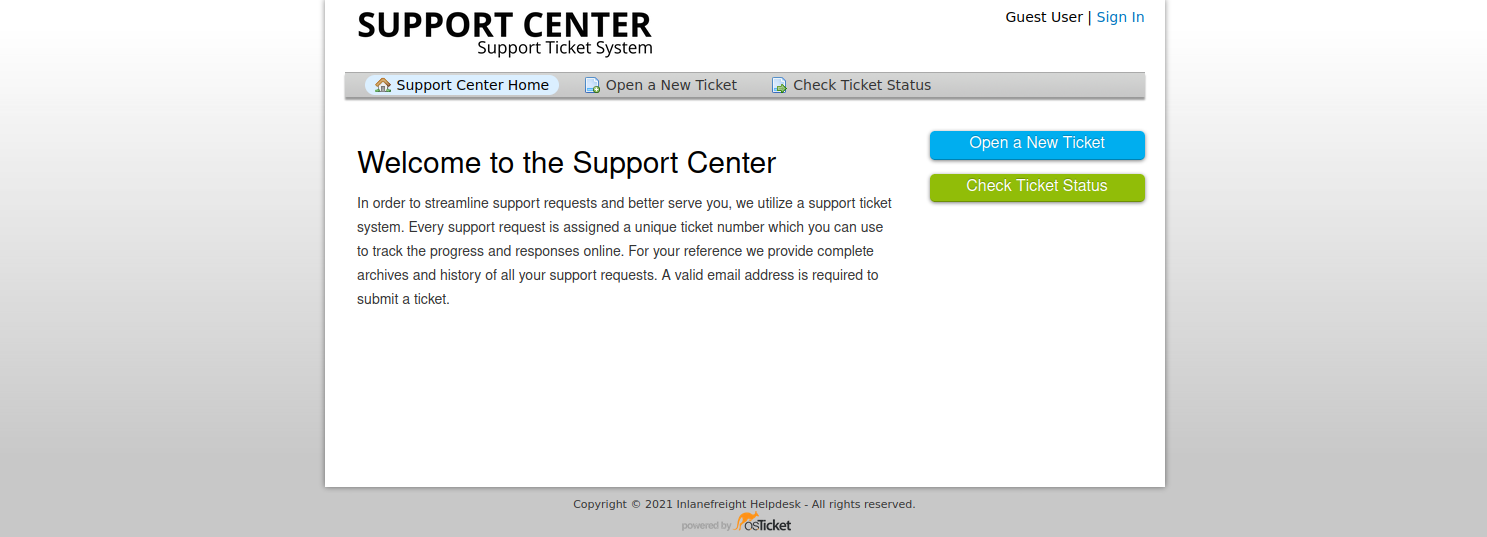
An Nmap scan will just show information about the webserver, such as Apache or IIS, and will not help us footprint the application.
osTicket is a web application that is highly maintained and serviced. If we look at the CVEs found over decades, we will not find many vulnerabilities and exploits that osTicket could have. This is an excellent example to show how important it is to understand how a web application works. Even if the application is not vulnerable, it can still be used for our purposes. Here we can break down the main functions into the layers:
User Input
The core function of osTicket is to inform the company's employees about a problem so that a problem can be solved with the service or other components. A significant advantage we have here is that the application is open-source. Therefore, we have many tutorials and examples available to take a closer look at the application. For instance, from the osTicket documentation, we can see that only staff and users with administrator privileges can access the admin panel. So if our target company uses this or a similar application, we can cause a problem and "play dumb" and contact the company's staff. The simulated "lack of" knowledge about the services offered by the company in combination with a technical problem is a widespread social engineering approach to get more information from the company.
Processing
As staff or administrators, they try to reproduce significant errors to find the core of the problem. Processing is finally done internally in an isolated environment that will have very similar settings to the systems in production. Suppose staff and administrators suspect that there is an internal bug that may be affecting the business. In that case, they will go into more detail to uncover possible code errors and address more significant issues.
Solution
Depending on the depth of the problem, it is very likely that other staff members from the technical departments will be involved in the email correspondence. This will give us new email addresses to use against the osTicket admin panel (in the worst case) and potential usernames with which we can perform OSINT on or try to apply to other company services.
Attacking osTicket
A search for osTicket on exploit-db shows various issues, including remote file inclusion, SQL injection, arbitrary file upload, XSS, etc. osTicket version 1.14.1 suffers from CVE-2020-24881 which was an SSRF vulnerability. If exploited, this type of flaw may be leveraged to gain access to internal resources or perform internal port scanning.
Aside from web application-related vulnerabilities, support portals can sometimes be used to obtain an email address for a company domain, which can be used to sign up for other exposed applications requiring an email verification to be sent. As mentioned earlier in the module, this is illustrated in the HTB weekly release box Delivery with a video walkthrough here.
Let's walk through a quick example, which is related to this excellent blog post which @ippsec also mentioned was an inspiration for his box Delivery which I highly recommend checking out after reading this section.
Suppose we find an exposed service such as a company's Slack server or GitLab, which requires a valid company email address to join. Many companies have a support email such as support@inlanefreight.local, and emails sent to this are available in online support portals that may range from Zendesk to an internal custom tool. Furthermore, a support portal may assign a temporary internal email address to a new ticket so users can quickly check its status.
If we come across a customer support portal during our assessment and can submit a new ticket, we may be able to obtain a valid company email address.
http://support.inlanefreight.local/open.php
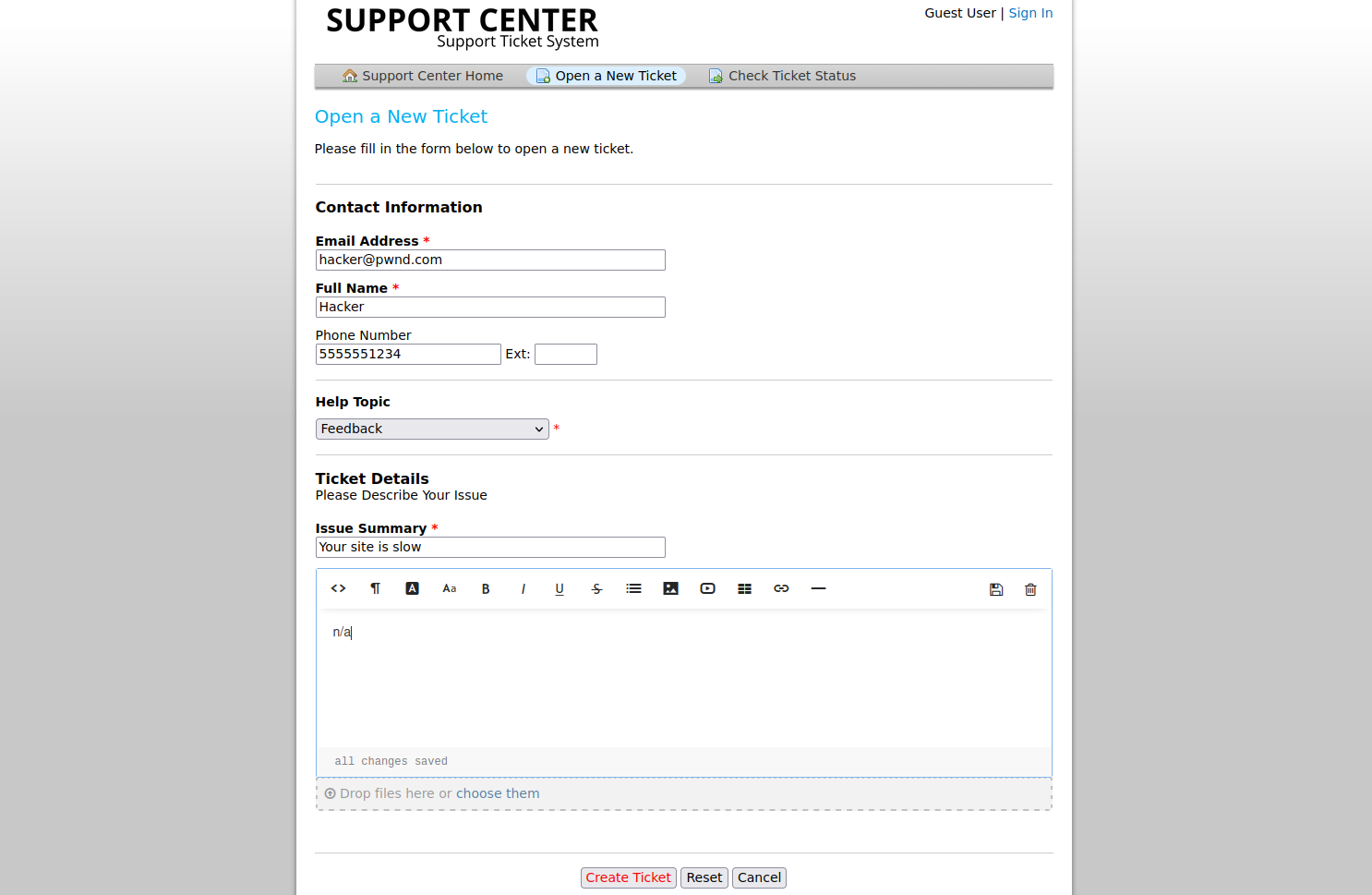
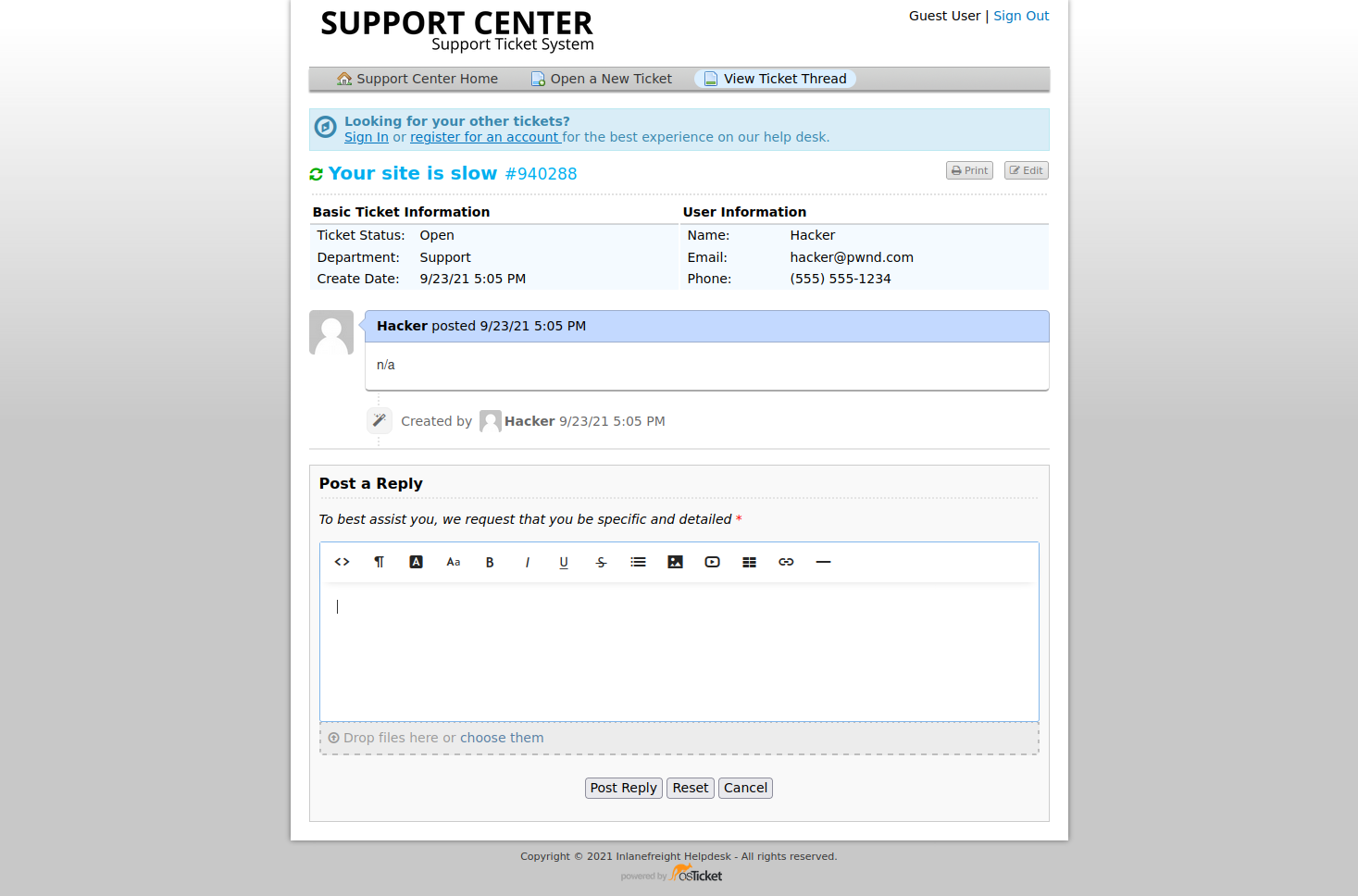
This is a modified version of osTicket as an example, but we can see that an email address was provided.
http://support.inlanefreight.local/open.php
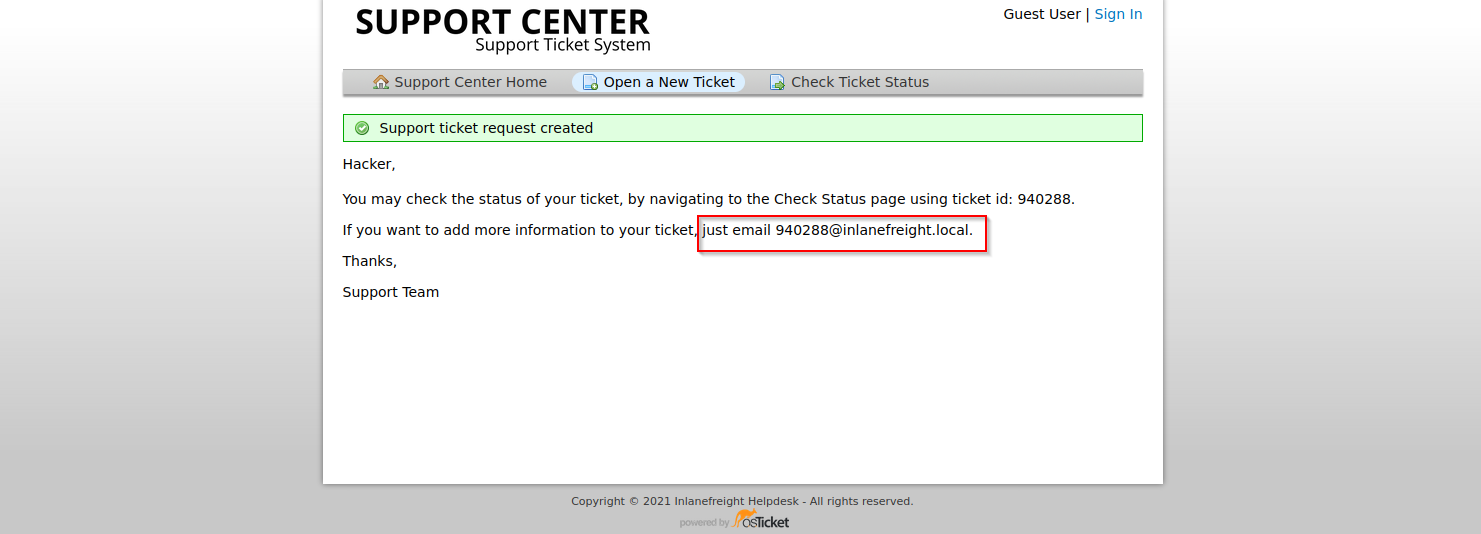
Now, if we log in, we can see information about the ticket and ways to post a reply. If the company set up their helpdesk software to correlate ticket numbers with emails, then any email sent to the email we received when registering, 940288@inlanefreight.local, would show up here. With this setup, if we can find an external portal such as a Wiki, chat service (Slack, Mattermost, Rocket.chat), or a Git repository such as GitLab or Bitbucket, we may be able to use this email to register an account and the help desk support portal to receive a sign-up confirmation email.
http://support.inlanefreight.local/open.php
osTicket - Sensitive Data Exposure
Let's say we are on an external penetration test. During our OSINT and information gathering, we discover several user credentials using the tool Dehashed (for our purposes, the sample data below is fictional).
sasorirose@htb[/htb]$ sudo python3 dehashed.py -q inlanefreight.local -p

id : 5996447501
email : julie.clayton@inlanefreight.local
username : jclayton
password : JulieC8765!
hashed_password :
name : Julie Clayton
vin :
address :
phone :
database_name : ModBSolutions


id : 7344467234
email : kevin@inlanefreight.local
username : kgrimes
password : Fish1ng_s3ason!
hashed_password :
name : Kevin Grimes
vin :
address :
phone :
database_name : MyFitnessPal
This dump shows cleartext passwords for two different users: jclayton and kgrimes. At this point, we have also performed subdomain enumeration and come across several interesting ones.
sasorirose@htb[/htb]$ cat ilfreight_subdomains

vpn.inlanefreight.local
support.inlanefreight.local
ns1.inlanefreight.local
mail.inlanefreight.local
apps.inlanefreight.local
ftp.inlanefreight.local
dev.inlanefreight.local
ir.inlanefreight.local
auth.inlanefreight.local
careers.inlanefreight.local
portal-stage.inlanefreight.local
dns1.inlanefreight.local
dns2.inlanefreight.local
meet.inlanefreight.local
portal-test.inlanefreight.local
home.inlanefreight.local
legacy.inlanefreight.local
We browse to each subdomain and find that many are defunct, but the support.inlanefreight.local and vpn.inlanefreight.local are active and very promising. Support.inlanefreight.local is hosting an osTicket instance, and vpn.inlanefreight.local is a Barracuda SSL VPN web portal that does not appear to be using multi-factor authentication.
http://support.inlanefreight.local/scp/login.php

Let's try the credentials for jclayton. No luck. We then try the credentials for kgrimes and have no success but noticing that the login page also accepts an email address, we try kevin@inlanefreight.local and get a successful login!
http://support.inlanefreight.local/scp/login.php
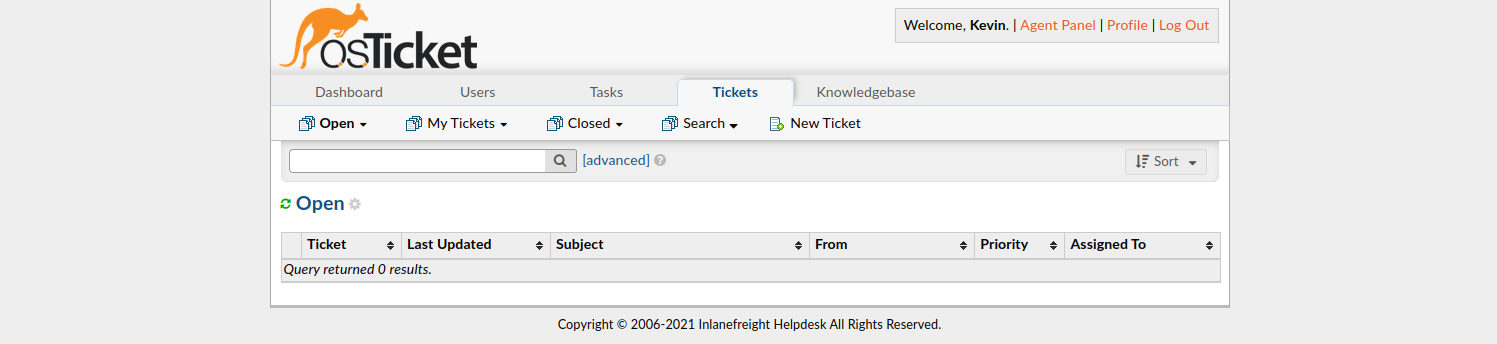
The user kevin appears to be a support agent but does not have any open tickets. Perhaps they are no longer active? In a busy enterprise, we would expect to see some open tickets. Digging around a bit, we find one closed ticket, a conversation between a remote employee and the support agent.
http://support.inlanefreight.local/scp/login.php
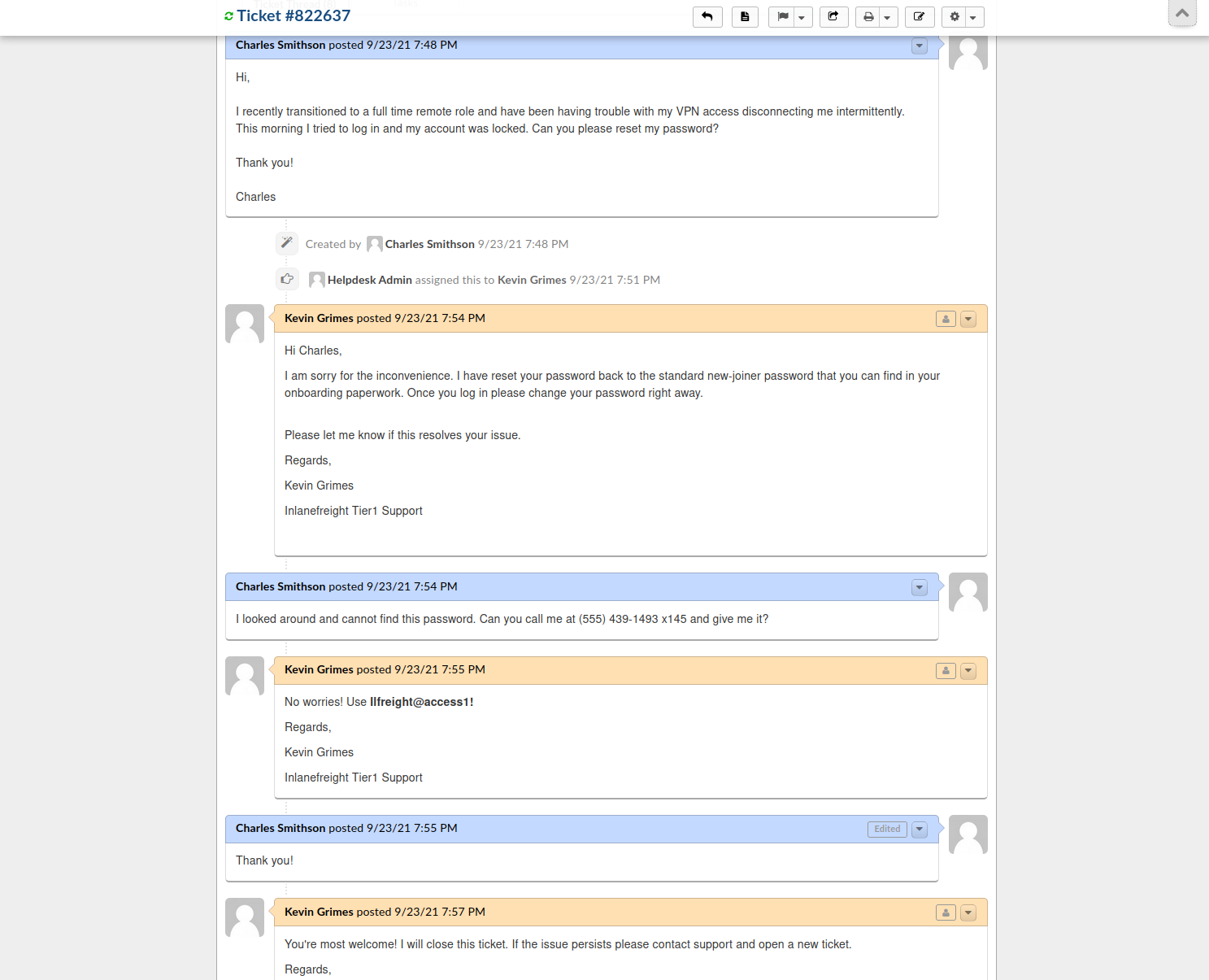
The employee states that they were locked out of their VPN account and asks the agent to reset it. The agent then tells the user that the password was reset to the standard new joiner password. The user does not have this password and asks the agent to call them to provide them with the password (solid security awareness!). The agent then commits an error and sends the password to the user directly via the portal. From here, we could try this password against the exposed VPN portal as the user may not have changed it.
Furthermore, the support agent states that this is the standard password given to new joiners and sets the user's password to this value. We have been in many organizations where the helpdesk uses a standard password for new users and password resets. Often the domain password policy is lax and does not force the user to change at the next login. If this is the case, it may work for other users. Though out of the scope of this module, in this scenario, it would be worth using tools like linkedin2username to create a user list of company employees and attempt a password spraying attack against the VPN endpoint with this standard password.
Many applications such as osTicket also contain an address book. It would also be worth exporting all emails/usernames from the address book as part of our enumeration as they could also prove helpful in an attack such as password spraying.
Closing Thoughts
Though this section showcased some fictional scenarios, they are based on things we are likely to see in the real world. When we come across support portals (especially external), we should test out the functionality and see if we can do things like creating a ticket and having a legitimate company email address assigned to us. From there, we may be able to use the email address to sign in to other company services and gain access to sensitive data.
This section also shows the dangers of password re-use and the kinds of data we may very likely find if we can gain access to a help desk agent's support ticketing queue. Organizations can prevent this type of information leakage by taking a few relatively easy steps:
- Limit what applications are exposed externally
- Enforce multi-factor authentication on all external portals
- Provide security awareness training to all employees and advise them not to use their corporate emails to sign up for third-party services
- Enforce a strong password policy in Active Directory and on all applications, disallowing common words such as variations of welcome, and password, the company name, and seasons and months
- Require a user to change their password after their initial login and periodically expire user's passwords
Questions:
Find your way into the osTicket instance and submit the password sent from the Customer Support Agent to the customer Charles Smithson .
- Email: kevin@inlanefreight.local
- Password: Fish1ng_s3ason!
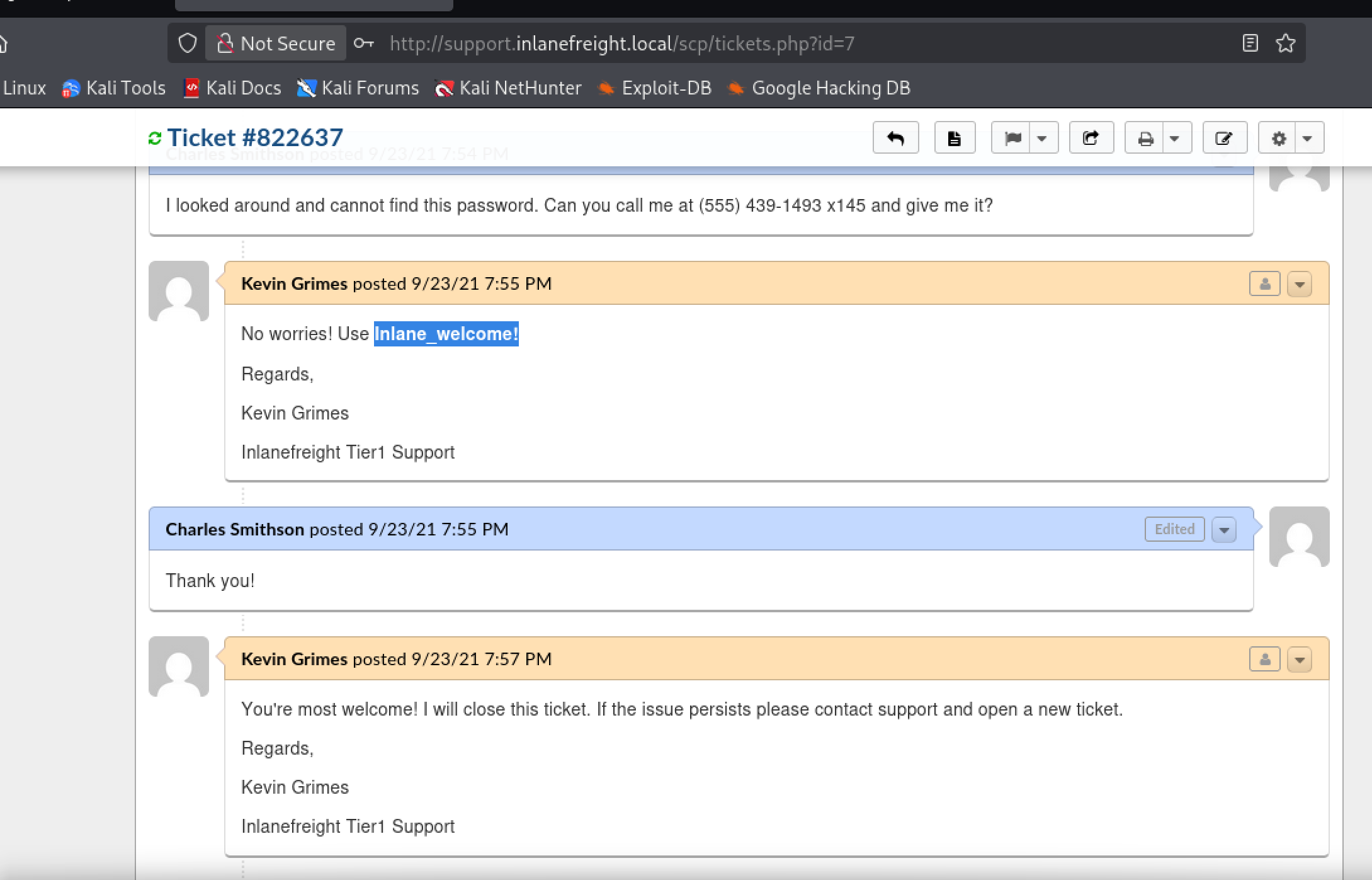
Answer: Inlane_welcome!